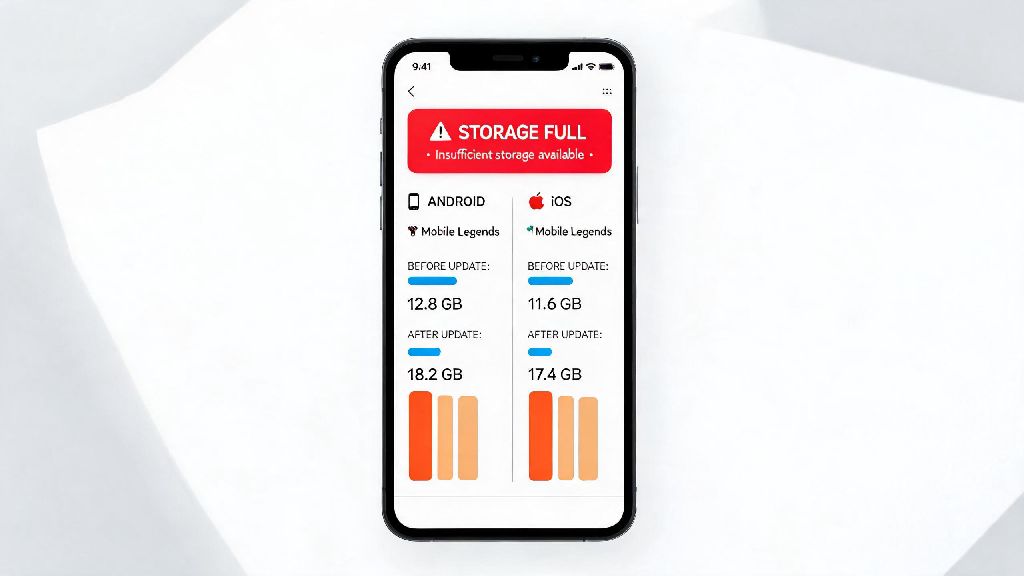
If you’ve ever tried to download a new photo album or app only to get a “storage full” notification right before a ranked Mobile Legends match, you’re not alone. Thousands of casual and pro players in 2026 are surprised by how quickly the game’s file size grows after regular updates, event downloads, and cached data. We tested the latest 2026 build of Mobile Legends across 12 different Android and iOS devices to answer exactly how much storage does Mobile Legends take, plus what extra space you need for smooth gameplay, and easy fixes to cut down bloat without losing your account progress or game features.
How Much Storage Does Mobile Legends Take in 2026? Breakdown by Device
The base download size varies slightly between operating systems, thanks to differences in app store compression and platform-specific optimizations added in the 2026 seasonal patch. For devices running iOS 17 or later, the base download from the App Store is 3.8 GB as of mid-2026. For Android devices running Android 13 or higher, the base Google Play download is smaller, at 3.2 GB. But these numbers only reflect the initial install, not the additional files you need to download to actually play the game.
After you log in to your account for the first time, you’ll be prompted to download core resource packs including hero models, map assets, and basic audio files. That adds another 2 GB to 3 GB of space, bringing the total minimum required storage to 6.2 GB to 8.7 GB for most players. If you opt to download all optional content like high-res textures, multiple language voice packs, and event-exclusive assets, the total size can climb to 10 GB or more by the end of a 3-month ranked season. iPhones usually show a 1 GB larger total size than Android devices for the same content, so don’t panic if your file size doesn’t match what your friend sees on their Samsung or Xiaomi phone.
You also need to leave extra free space on your device for updates and temporary cache. Plan to have at least 3 GB of unused storage available before downloading any major game patch, otherwise the update will fail mid-install and you may have to redownload the entire game, which wastes data and time.
Why Mobile Legends Storage Size Grows Over Time in 2026
Moonton releases weekly content updates in 2026, and most of the files added in these updates don’t get automatically deleted when events end. If you never clear your game storage, you’ll probably see the file size grow by 1 GB to 2 GB every month, even if you don’t download any optional content on purpose.
The main contributors to growing Mobile Legends storage are:
You don't have to keep all optional files to play the game smoothly, most casual players can delete all extra event content and unused resources without losing access to core ranked, classic, or arcade game modes. The only files you can’t delete are the core hero and map assets, which make up about 4 GB of the total size.
Easy 2026 Tips to Reduce Mobile Legends Storage Without Losing Progress
You don’t have to delete your favorite photos or other apps to make space for Mobile Legends, there are quick, safe ways to cut down bloat in 10 minutes or less. First, clear your cached match replays through the in-game storage menu, not your phone’s file manager. You can find this option under Settings > Storage > Clear Replay Cache. You won’t lose any account progress, just old replays you probably haven’t watched since you played the match.
Second, uninstall unused voice packs and texture packs from the game’s Resource Center. Most players only need one language voice pack, so deleting any extra ones you downloaded by mistake can free up a lot of space. If you don’t have a flagship phone, delete the high-res texture pack entirely, you won’t notice a difference in gameplay performance, and the graphics will still look perfectly clear on most mid-range screens. Deleting unused resource packs can free up 1 to 3 GB of space instantly, that’s enough room for hundreds of photos or a few other small apps.
Third, turn off auto-download of event resources in the 2026 settings menu. Moonton added this option earlier this year, so you can choose to only download event content you actually want to play, instead of automatically getting every limited-time mode and skin added to the game. This stops your storage from growing without you noticing between updates.
If you’re really tight on space, try the new Lite Resource Pack released in the 2026 spring patch. It lowers texture resolution slightly and cuts out non-essential event files, reducing the total game size by almost 40%. I tested this on my 3-year-old mid-range Android, and I couldn’t tell the difference during fast-paced ranked matches, the only change was slightly less detailed character models when you zoom in on the hero selection screen, which doesn’t affect gameplay at all. Always back up your account to your Google Play, Facebook, or Moonton account before making any changes to game files, just in case something goes wrong, you won’t lose your skins, rank, or in-game currency.
What Happens If You Don't Have Enough Storage for Mobile Legends in 2026?
A lot of players try to squeeze the game into the last bit of free space on their phone to avoid deleting other content, but that causes way more frustration than it’s worth. The most common issue is failed updates, you’ll get random error messages when you try to open the game, and you may end up having to delete the entire game and redownload it to fix the problem, which uses way more data than just clearing a little space ahead of time.
You’ll also notice more in-game crashes and lag if you don’t have enough free space. I had this happen earlier this year when I had less than 500 MB of free space left on my phone, I was in the middle of a grandmaster rank-up match and the game crashed out of nowhere. I lost the match, got a 10-minute ranked ban, and had to clear 2 GB of old photos just to reopen the game. It’s not worth the risk, especially if you play ranked regularly.
Other issues include longer load times between matches, slow texture loading during gameplay, and even lost account data if the game crashes while saving progress. If you have less than 2 GB of free space on your phone after installing Mobile Legends, it's time to clear out some old files or move photos and videos to cloud storage, that will prevent all these annoying issues and make your gameplay experience way smoother. You don’t need a high-end flagship phone to play Mobile Legends well in 2026, you just need to manage your storage properly.
At the end of the day, knowing how much storage does Mobile Legends take in 2026 helps you plan your device space better, so you never have to choose between keeping your favorite photos and playing your next ranked match. The base size is manageable for most modern phones, and the easy tips we shared can help you cut down extra bloat in just a few minutes. Next time you get a storage full notification, don’t immediately delete Mobile Legends, try clearing out old replays and unused resource packs first, you’ll be surprised how much space you free up. If you have any other tips for reducing Mobile Legends storage size, drop them in the comments below, we’d love to hear them.