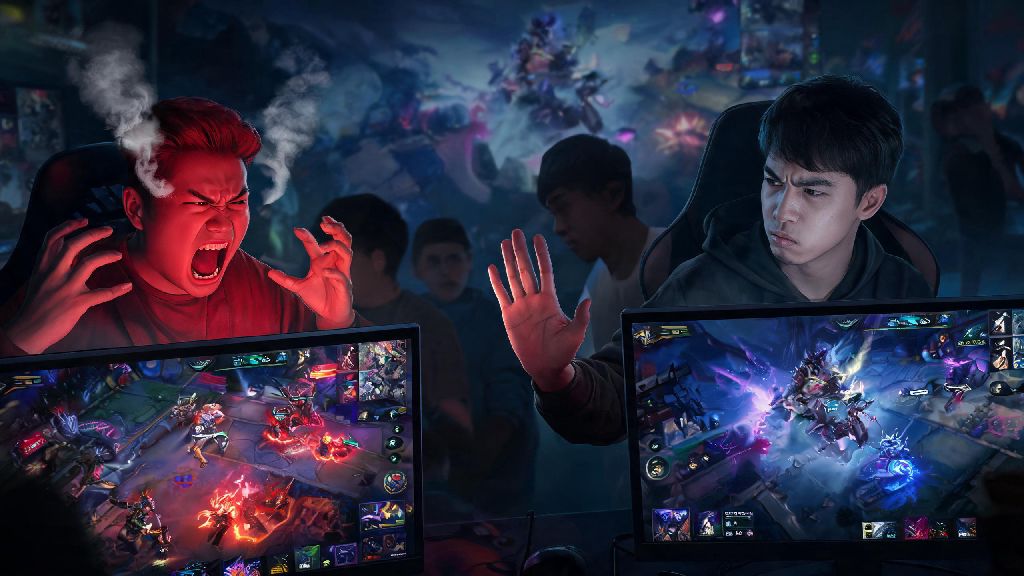
Anyone who's played Mobile Legends for more than a few ranked matches has run into that one player who ruins the whole experience. Maybe it's a toxic teammate spamming slurs after you miss a skill shot, or a random stranger sending you non-stop match invites even after you've declined three times. If you're fed up with dealing with these frustrating interactions, learning how to block someone in Mobile Legends is one of the quickest ways to take back control of your gameplay experience. I've been there myself, back when I was grinding to Mythic for the first time, I had a player follow me from match to match just to grief my games until I figured out the block feature. It's not complicated, but there are a few edge cases you need to know about to make sure the block works exactly how you want it to.
How to Block Someone in Mobile Legends: In-Match and Post-Match Steps
The most common time you'll want to block someone is right after a bad match, or even mid-game if they're being extra disruptive, and you don't have to wait until the match ends to block someone to save yourself from further frustration. Let's break down both scenarios so you don't have to fumble with settings while your turret is getting pushed. For mid-match blocks, tap the scoreboard icon in the top left corner of your screen, find the player you want to block, tap their profile icon, and select the block option from the dropdown menu. That will immediately stop them from sending you in-game chat messages, so you can focus on turning the match around without their nonsense.
For post-match blocks, you don't have to rush. On the end of match score screen, find the player's name, tap the three small dots next to their profile, and select block. You can also add a report for toxic behavior at the same time, which helps the moderation team flag repeat offenders. I usually do both if someone has been intentionally feeding or using hate speech, because the block keeps them away from me, and the report helps keep them away from other players too. If the player is already on your friend list, make sure to unfriend them first before blocking, otherwise the block might not apply to all interaction types.
What Happens After You Block a Player in MLBB?
A lot of players don't realize exactly what the block feature does, so I'll clear up the most common misconceptions first. When you block someone, they can't send you friend requests, match invites, or private messages, and you won't be matched with them on the same team again in most cases. I say most cases because for very high rank lobbies where there are only a few dozen players online at the same time, the matchmaker might still put you on opposing teams, but you still won't see their chat messages.
Blocked players also won't be able to view your profile, match history, or comment on your profile posts, so you don't have to worry about them stalking your activity after a bad match. I once blocked a player who kept sending me links to fake diamond scam sites, and after I blocked him, all his messages disappeared immediately, and I never saw him in a match again. There are a few limits, though. Blocking someone doesn't remove them from your existing squad or guild automatically, so if you're in a shared group with them, you'll need to leave the group or ask a leader to remove them to fully cut off contact. Also, blocks only apply to the server you're currently playing on, so if you switch to a different regional server, you might still run into that player there.
How to Manage Your Block List and Unblock Players if Needed
Sometimes you might block someone by accident, or you might have a change of heart months down the line after a silly argument with a friend. Managing your block list is straightforward, but the setting is a little hidden if you don't know where to look. Let's walk through the steps: First, tap your profile icon in the top left corner of the main lobby screen. Next, tap the account settings tab, which looks like a small gear icon in the top right of your profile page. Scroll down until you see the "Privacy" section, then select "Block List". From there, you can see every player you've ever blocked, and tap the unblock button next to any name to remove them from the list.
I recommend checking your block list once every few months to clear out names you don't remember blocking, especially if you've had your account for years. It frees up space, and you won't accidentally prevent yourself from playing with someone you met in a recent match who has a similar username to someone you blocked years ago. If you're someone who streams Mobile Legends or has a public profile, you might end up with dozens of blocked players over time, so sorting your block list by date added can make it easier to find people you want to unblock. Also, there's no limit to how many players you can block, so don't feel guilty about adding someone to the list if they're making your game less fun.
When Should You Block a Player, and When Should You Take Other Action?
Not every small annoyance deserves a block, right? If a teammate types one rude message after a bad team fight, you might be better off just muting their chat instead of blocking them entirely. But there are some clear cases where blocking is the right call.
Muting is a better temporary option for one-off rude behavior, because it lets you ignore them for the rest of the match without preventing you from being matched with them again later if they're just having a bad day. If someone is being truly harmful, though, don't hesitate to block and report them. Moonton's moderation team does act on reports, especially if multiple people report the same player for the same behavior, so you're not just helping yourself, you're helping the whole community. I used to hesitate to block people because I thought it was petty, but after I had a player send me abusive messages for three days straight after a ranked loss, I learned that it's far better to block early than to let someone ruin your time playing a game you love. You don't owe any random player your attention or patience, and you never have to justify blocking someone who's making you uncomfortable.
At the end of the day, Mobile Legends is supposed to be a fun way to unwind with friends, not a space where you have to deal with harassment or toxic behavior. Taking a few seconds to learn how to block someone in Mobile Legends is one of the simplest ways to curate your experience and make sure you only play with people who respect you and the game. You don't owe anyone your time or attention, especially not random strangers online who want to take their frustration out on you. If you ever feel uncomfortable or harassed in a match, don't hesitate to use the tools the game gives you to protect yourself. You'll have far more fun, and you'll probably climb ranks faster too when you're not distracted by toxic chat or unwanted invites.