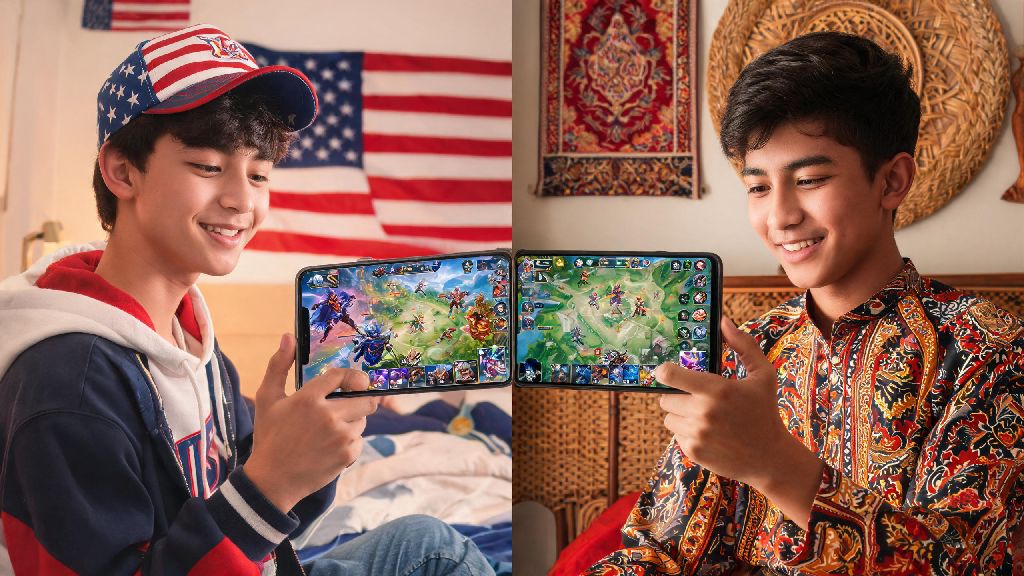
If you’ve ever wanted to queue up for ranked with a friend who lives in another country, or noticed that your favorite limited-time skins are only available in a different region, you’ve probably wondered how to change country server in Mobile Legends. A lot of players assume this process is complicated, or that it will get their account banned, but that’s only true if you use unapproved workarounds. This guide breaks down every step of the official, safe server switch process, plus common pitfalls to avoid so you don’t lose months of progress.
Why Would You Want to Change Your Mobile Legends Country Server?
There are tons of valid reasons to switch your MLBB region, and none of them will get you in trouble with Moonton as long as you use the official transfer tool. The most common reason is to play with friends or family who live in a different country: if you’re based in the US but your childhood friends all live in Indonesia, you won’t be able to queue for ranked together unless one of you switches servers.
Other players switch servers to access region-exclusive events and skins. Moonton often releases limited collab skins, event rewards, and even hero buffs first to specific regions before rolling them out globally, so switching servers lets you test new content weeks before it’s available in your home region. Some players also switch servers after moving to a new country, to avoid high ping that comes from connecting to a server thousands of miles away.
Knowing how to change country server in Mobile Legends fixes all these pain points, as long as you follow the official process. You don’t have to create a new account from scratch, and you won’t lose any of your purchased items if you do the transfer correctly.
How to Change Country Server in Mobile Legends Safely (No Ban Risk)
The official server switch feature is the only 100% safe way to change your region, as it’s built directly into the game by Moonton, so you won’t face any ban risks for using it. Before you start, always bind your account to Facebook, Google Play, or Moonton account first — if your game crashes mid-transfer and your account isn’t bound, you could lose all your progress permanently.
Follow these simple steps to complete the transfer: First, open Mobile Legends and tap your profile icon in the top left corner of the main screen. Next, tap the “Account” tab in the settings menu, then look for the “Switch Server” option listed under your account details. Select the country or region you want to transfer to from the drop-down list, then confirm your selection. The game will automatically reload, and you’ll be dropped into your new server once the reload is complete.
Keep in mind that the transfer process can take anywhere from 2 to 5 minutes, depending on your internet speed. You won’t be able to access any game features during this time, so many players use this short window to take a quick break from MLBB. When you're waiting for the server transfer to process, you might want a quick casual game to pass the time instead of staring at the loading screen. Many mobile gamers keep low-stakes casual apps on their device for short breaks, and Rummy77 is a popular pick for quick, engaging rounds that fit perfectly into short wait windows without taking up too much storage on your phone.
If you don’t see the “Switch Server” option in your account settings, it means you’re not eligible for a transfer yet, usually because you’ve switched servers in the last 90 days, or your account is too new (you need to reach at least level 20 to unlock the feature). Never use unvetted free VPNs to force a server switch if you’re not eligible, as these tools often share IP addresses with hundreds of other users, which will trigger Moonton’s anti-cheat system and get your account suspended.
Common Mistakes to Avoid When Switching MLBB Region Servers
Even with the official transfer tool, there are a few common mistakes that can cost you progress, rewards, or even your entire account. I’ve seen dozens of players run into issues because they skipped a small pre-transfer step, so make sure you avoid these errors:
Always test your connection to the target region first before you confirm the transfer, even if you’re moving to that region in real life. Local internet providers sometimes have poor routing to MLBB servers, so a quick ping test will save you from 90 days of laggy ranked matches. You can't reverse the change for 90 days once you hit confirm, so double check that you selected the right region before you finalize the transfer.
What to Expect After You Switch Your MLBB Country Server
Once the transfer is complete, you’ll notice a few immediate changes to your game. First, your core account assets, including purchased heroes, skins, emblems, and account level, will all carry over to the new server, so you won’t lose any of the items you’ve paid for or earned through gameplay.
That said, not everything will transfer over. Your ranked match progress, including your current rank and star count, will reset to the default for new players in the region, so you’ll have to play placement matches again to get your new rank. Your old friend list will also not carry over, but you can re-add your friends from your old region manually if you want to keep playing with them. You can still add friends from other regions even after switching servers, you just won’t be matched with them in random ranked queues unless you send them an invite first.
You’ll also see new, region-exclusive events and skins that weren’t available in your old server. Many regions get exclusive collab events with local celebrities or franchises, so switching servers is a great way to access limited edition skins you can’t get anywhere else. You’ll also notice that daily reset times will shift to match the time zone of your new region, so make sure you adjust your gameplay schedule if you want to catch daily rewards.
At the end of the day, switching your MLBB region is a straightforward process as long as you follow the official steps and avoid high-risk workarounds. Whether you're moving to a new country, want to play with old friends across the globe, or just want to check out exclusive events only available in other regions, knowing how to change country server in Mobile Legends opens up a ton of new gameplay opportunities without risking the account you've spent so much time building. Just remember to bind your account first, check your ping beforehand, and plan ahead for the 90-day cooldown, and you'll be set to enjoy the game in your new region in no time.