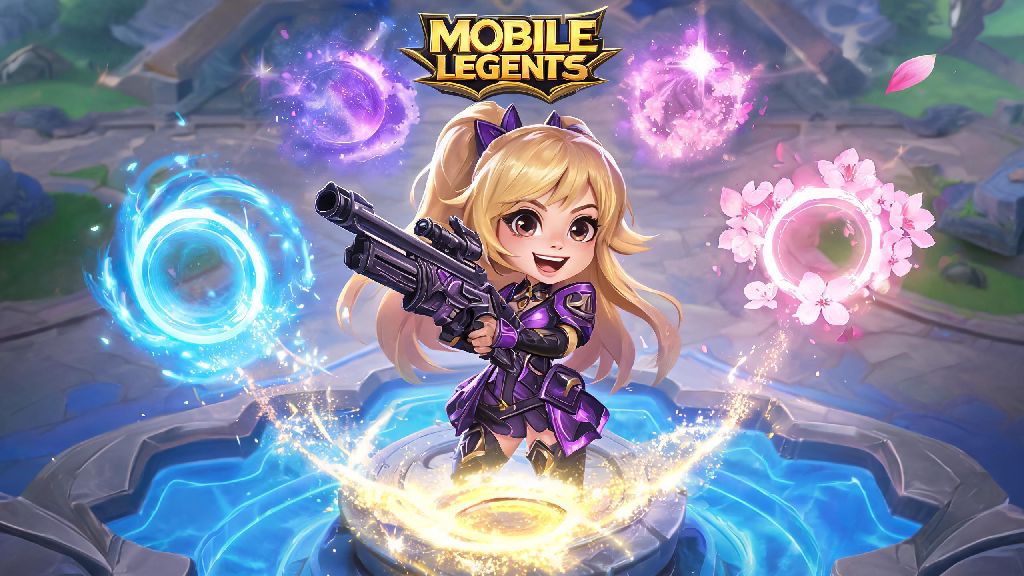
If you’ve ever queued up for a Mobile Legends match and watched a teammate pop a sleek, animated recall effect before heading back to base, you’ve probably wondered how to get that look for your own account. A lot of new players struggle with how to change recall in Mobile Legends, even though the process is far simpler than most people think. I’ve played MLBB for over 4 years, and I’ve tested every menu path, bug, and unlock method for recall effects, so this guide covers everything you need to know to customize your recall without wasting time navigating clunky in-game menus. You don’t need to spend real money to get cool effects, either – most of my favorite recalls came from free events I barely had to grind for.
What You Need to Know Before You Change Recall in Mobile Legends
First off, let’s clear up a common myth a lot of new players believe about recall effects. Recall effects do not impact your match performance at all – they’re 100% cosmetic, so you never have to worry about paying for a gameplay advantage when you buy or unlock a new effect. That means you can pick whatever fits your personal style, whether you love cute animal animations, flashy holiday effects, or minimal subtle designs.
You can get recall effects from a wide range of sources, both free and paid, and most players unlock at least 2-3 new effects every month without spending a diamond. Some effects are permanent, so you can use them forever once you unlock them, while others are time-limited, usually expiring 7 or 30 days after you claim them. You can switch your recall effect as often as you want between matches, with no cooldowns, costs, or limits, so feel free to swap it out to match your favorite skin, a holiday, or even your mood that day.
Step-by-Step Process to Switch Your Recall Effect
Once you have at least one recall effect unlocked (you get the default one for free when you make your account), switching it only takes 30 seconds if you know where to look. I’ve broken the process down into simple, tested steps so you don’t have to click through random menus to find the right tab:
That’s all there is to it, but there’s one common bug you might run into. If you just claimed a new recall effect from an event or battle pass, it might not show up in the Effects menu right away. So you can just close and restart the game, and it will appear in your unlocked list 99% of the time. If you have a time-limited effect equipped, it will automatically switch back to the default recall when it expires, so you don’t have to manually change it if you don’t want to.
How to Unlock New Recall Effects for Free and Paid
You don’t have to spend real money to get fun, unique recall effects. Moonton releases new free effects every month through in-game events, and most of them require very little effort to unlock. The most common free sources include daily login rewards, especially during holiday events like the game’s anniversary, Lunar New Year, or Christmas – most of these events give a free permanent recall effect if you log in 7 days in a row, no extra quests required.
You can also get free recall effects from event quest lines, which usually ask you to complete simple tasks like play 3 ranked matches, get 10 kills with a mage hero, or send 5 friend gifts. The free tier of the seasonal battle pass also always includes at least one recall effect if you level it up to level 30 or higher, which most players can hit just by playing a few matches a week.
If you don’t mind spending diamonds or real money, there are plenty of exclusive effects available too. The premium battle pass usually has 2-3 unique, permanent recall effects every season that you can’t get anywhere else. Lucky draw events like the Grand Collection also have rare limited-edition recall effects, though those can be expensive to unlock if you have bad luck. The in-game shop also regularly sells discounted bundles that include recall effects, emotes, and skin trial cards for a low price.
Always check the event tab first before buying a recall effect – I’ve gotten almost all of my favorite rare effects from free events, including a limited-edition anniversary recall that I see less than 10% of other players using. It’s easy to waste diamonds on an effect that will be given away for free a month later, so hold off on purchases until you’re sure you can’t unlock it for free.
Common Mistakes to Avoid When Changing Your Recall Effect
Even though changing your recall is super simple, there are a few common mistakes that can ruin your experience or waste your resources, so it’s worth keeping these in mind. First, avoid overly bright, neon recall effects if you often recall in unwarded bushes during ranked matches. Even small visual cues can leak your position to enemy players who are scanning the map, and a bright flash from a flashy recall can be enough for them to run over and cancel your recall before you get back to base. I learned this the hard way when I equipped a bright firework recall for a ranked match, and an enemy Hayabusa saw the flash through a bush and killed me right before I finished recalling.
Another common mistake is forgetting to claim your unlocked recall effect from your in-game mail. All event rewards get sent to your mail first, and you have to manually claim them before they show up in your Effects menu. If you think you earned a new effect but don’t see it, always check your mail first before restarting your game.
Don’t waste diamonds on temporary recall effects, either. Most temporary effects only last 7 or 30 days, and you can usually get a permanent effect for the same price or less if you wait for a sale or event. It’s also worth noting that you can’t change your recall effect mid-match, so don’t waste time looking for the menu in between rounds – you can only adjust it in the main lobby before you queue up for a match.
One last small tip: If you’re playing with a group of friends, you can all equip the same recall effect to show off your team vibe, which is a fun little touch for tournament matches or 5-stack ranked queues. I do this all the time with my regular squad, and we’ve even gotten compliments from enemy teams on our matching effects.
At the end of the day, learning how to change recall in Mobile Legends is a small, fun way to make your account feel more personal and stand out from other players. You don’t need to spend a ton of money to get cool effects, and the process of switching them only takes a few seconds once you know where to look. Don’t forget to check the event tab every week for new free recall drops, and avoid overly flashy effects if you’re playing high-stakes ranked matches. I currently use the cherry blossom recall effect paired with my Kagura Cherry Witch skin, and it still gets compliments from teammates almost every match. If you run into any issues with missing effects, a quick game restart will almost always fix the problem.