If you’ve been playing Mobile Legends for any length of time, there’s a good chance you cringe a little every time you see your current in-game name pop up in match lobbies. Maybe you picked a silly meme reference that’s no longer funny, used a random auto-generated name when you first signed up, or just outgrew the username you chose when you were 13. Whatever your reason, updating your name to something that feels more you is one of the easiest ways to customize your MLBB experience and feel more connected to your account. If you’re wondering how to change your name on Mobile Legends, we’ve put together this complete guide based on years of playing and testing every account setting the game offers, so you can avoid costly mistakes and get your new name set up in minutes.
How to Change Your Name on Mobile Legends: Full Step-by-Step Walkthrough
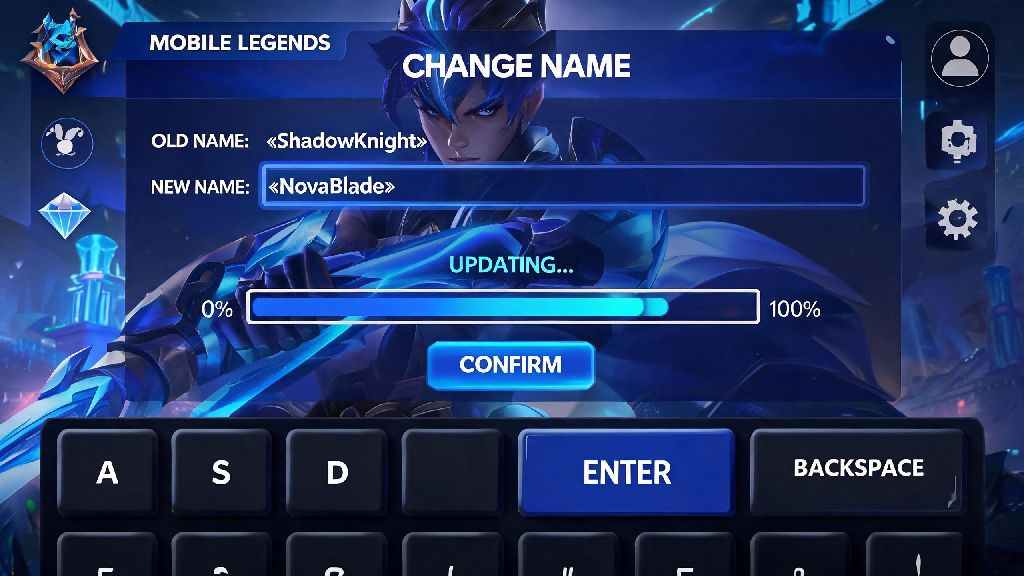
The process of updating your in-game name is far simpler than many players expect, and it only takes a few minutes from start to finish. First, open the Mobile Legends app and wait for the main lobby to load fully. Tap your profile avatar in the top left corner of the screen to open your personal profile page. Once you’re on your profile, look for the small gear icon directly next to your current displayed name, and tap it to open the name editing menu.
You’ll see a text box where you can type in your desired new name. As you type, the system will automatically check if the name is already taken, and flag any restricted terms that violate community guidelines. If you get a green checkmark next to your input, the name is available and eligible for use. Double check the spelling before you move forward, because you won’t be able to edit it again for 30 days after confirmation.
When you’re sure you have the right name, tap the “confirm” button at the bottom of the screen. The game will ask you to confirm that you want to use one Name Change Card to complete the process. Tap “yes” and your name will update immediately across all parts of your account, including your profile, match history, and squad lists. If you’re in an active match lobby when you make the change, you may need to restart the game to see the new name reflected for other players in your group.
When you follow this process, you won’t run into any unexpected issues, but there are a few requirements you need to meet before you can even access the name editing menu. We cover all of those prerequisites in the next section, so you don’t waste time trying to make a change you don’t qualify for.
What You Need Before You Attempt a Name Change
Before you start the process for how to change your name on Mobile Legends, you’ll need to make sure you have all the required items and meet the basic eligibility rules. The non-negotiable requirement for any name change is a Name Change Card, which is the only item Moonton accepts for this customization. You can’t use diamonds directly to change your name, and there’s no free default name change for new accounts, so you’ll need to get one of these cards first.
There are three main ways to get a Name Change Card for your account:
Beyond having a Name Change Card, you also need to make sure your account is not currently penalized. If you have an active ban, chat restriction, or account review for toxic behavior or cheating, you won’t be able to access any account customization features until the penalty lifts. You also can’t change your name if you’ve already made a change in the past 30 days, as you can only change your name once every 30 days per account.
One quick check we always recommend before you start: Go to your backpack and open the “items” tab to see if you already have a Name Change Card sitting unused. A lot of players earn cards from events and forget they have them, so this simple check can save you from spending diamonds or fragments unnecessarily.
Common Name Change Mistakes to Avoid
Even though the name change process is simple, there are a handful of common mistakes that can cost you your Name Change Card with no refund, or leave you stuck with a name you hate for a month. The first mistake most players make is picking a name that violates Moonton’s community guidelines. Offensive terms, hate speech, references to illegal activities, or names that target specific groups of people will get flagged by the automated filter, and if they slip through initially, they’ll likely be reported by other players later.
If your name is flagged as inappropriate, Moonton will force you to change it to a random generic name, and you won’t get your Name Change Card back. You may also get a temporary chat ban or account restriction if the violation is severe enough. It’s not worth risking your account over an edgy joke, so always err on the side of caution when picking your new name.
Another common mistake is stuffing your name with too many hard-to-type special characters. Special characters and emojis are allowed as long as they don't violate content rules, but if you use 10 different obscure symbols, your friends will have a very hard time searching for your account to add you to squads. I’ve had friends do this before, and it took us 20 minutes of testing different character combinations to find their account after a name change.
The most costly mistake you can make is falling for scams that promise free name changes in exchange for your account login info. Never share your account info with anyone offering free name changes, even if they claim to work for Moonton or have a hack that skips the Name Change Card requirement. These are almost always attempts to steal your account, take your skins and diamonds, or use your account for toxic behavior that gets you banned. There is no way to change your name without a valid Name Change Card, so any offer that says otherwise is a scam.
Tips for Picking the Perfect Mobile Legends Name
Since you’ll be stuck with your new name for at least 30 days, it’s worth taking a few extra minutes to pick one you actually like, instead of going with the first random idea that pops into your head. The best names are short, memorable, and give other players a quick sense of who you are as a player. A good rule of thumb is to keep your name between 6 and 12 characters, not including special characters, so it’s easy to read and type.
One popular naming trick is to reference your main role or main hero in your name. If you’re a dedicated Franco main who lands perfect hooks 90% of the time, something like FrancoHookKing lets your teammates know exactly what to expect from you before the match even starts. If you only play support, a name like MainHealerOnly signals that you’ll prioritize keeping the team alive over chasing kills, which can make your teammates more comfortable picking damage heroes in the draft phase.
If you’re part of a regular squad, you can add a shared squad prefix to all of your names to make your team feel more cohesive. Most squads use a 2 or 3 letter prefix at the start of each member’s name, so other players can tell you’re part of the same group as soon as the lobby loads. This is a really fun touch if you play a lot of ranked or tournament games with the same group of friends.
The most important rule for picking a name, though, is to leave all personal information out of it. Your in-game name is public to every player you match with, so always keep personal details out of it. Never use your full real name, phone number, address, school name, or other identifying information in your username. I’ve seen young players put their school name and graduation year in their usernames before, and that’s a huge privacy risk that can lead to unwanted contact from strangers.
Changing your in-game name is a small change that can make a big difference in how you enjoy your time playing Mobile Legends. As we covered, how to change your name on Mobile Legends is straightforward as long as you have a valid Name Change Card, pick a name that follows community rules, and don’t rush your decision. If you don’t have a Name Change Card right now, hold off on buying one if you can – Moonton gives them out for free every few months during big events, so you can save your diamonds for skins or other items you want more. Whatever name you end up picking, just make sure it’s one you’ll be happy showing off to your squad and random teammates alike for the next 30 days. Now go get that new name set up, and we’ll see you on the rift.