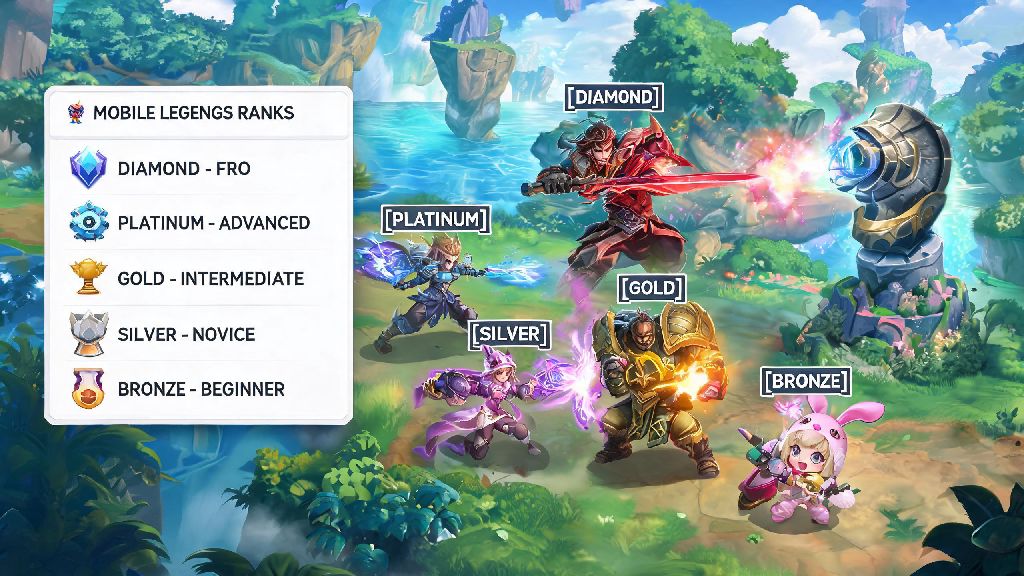
If you’ve spent hours grinding ranked matches, nailing perfect team fights, and carrying your squad to wins in Mobile Legends, you’re probably curious where you stand against other players around the world. Knowing how to check ranking in Mobile Legends isn’t just about flexing your tier to friends—it helps you track your progress, spot areas you need to improve, and set clear goals for climbing the ranked ladder. I’ve been playing MLBB since its global launch, and I’ve helped dozens of new players navigate the messy in-game menus to find the exact rank stats they’re looking for. This guide breaks down every way to check your rank, plus extra stats you might not even know exist.
How to Check Ranking in Mobile Legends for Your Overall Account
First, make sure you’re logged into the correct MLBB account linked to your main progress. On the home screen, tap your profile avatar in the top-left corner of the screen—this pulls up your full player profile. From the side menu on the left of the profile page, select the Ranked Stats option. You’ll see your current rank tier immediately, along with your win rate, total number of ranked matches played, and your star count for the current season. Once you know how to check ranking in Mobile Legends for your account, you can also toggle the dropdown menu at the top of this page to view your rank history for past seasons, so you can see how much you’ve improved over time. Don’t panic if you don’t see your latest match rank update right away—MLBB sometimes takes 2 to 3 minutes to refresh stats after a ranked match ends, especially if you’re playing during peak server hours.
How to Check Your Individual Hero Ranks
Most players only check their overall account rank, but your hero-specific ranks tell you a lot more about where your strengths lie as a player. These ranks are based on your performance with each individual hero, and they compare you to other players in your region, or even globally. This is one of the most underrated parts of learning how to check ranking in Mobile Legends, because it lets you focus on mastering specific heroes instead of just grinding for overall tier. To find these stats, go back to your main profile page the same way you did for your overall rank. Instead of selecting Ranked Stats, tap the Heroes tab from the left side menu. You’ll see a list of all heroes you’ve played, sorted by highest win rate by default. Tap any individual hero to pull up their detailed stats, including their current regional or global rank, the number of power points you have for that hero, and your win rate with them across all match types. If you want to see the top 100 players for a specific hero, you can tap the leaderboard icon on the top right of the hero stats page. Keep in mind that you need to play at least 20 ranked matches with a single hero in the current season to be eligible for a regional or global rank with them. If you haven’t hit that threshold yet, your rank will show as “unranked” for that hero even if you have a 100% win rate.
How to Check Other Players’ Ranks in Mobile Legends
Sometimes you want to check the rank of a friend, a squad mate, or even a random player you matched with to get a sense of their skill level. There are two easy ways to do this, depending on whether you’re already connected with them in game. If the player is on your friends list, you can simply tap their name from your friends list, then tap “View Profile” to pull up their full stats, including their current rank. If you just matched with them in a game, you can tap their name on the post-match score screen, then select “View Profile” the same way. If their profile is set to private, you won’t be able to see their full rank stats, but you can still see their current rank tier displayed next to their name in lobbies and match loading screens. If you’re new to the game and still learning how to check ranking in Mobile Legends, it’s easy to mix up disguised ranks with real ones, so always double check the profile if you’re unsure. Wait, there’s one important thing to note here: some players use rank disguise items to hide their real rank in public lobbies. These items let players show a lower rank than they actually have, so don’t always assume the rank displayed next to a player’s name in a casual match is their real ranked tier. If you want to confirm their real rank, you’ll have to check their public profile, if it’s available.
Pro Tips to Use Your Rank Stats to Climb Faster
Checking your rank is only useful if you use that data to improve your gameplay. I’ve used these tricks myself to climb from Warrior to Mythic in three separate seasons, and they work for every play style and skill level. Here are the most impactful ways to put your rank stats to work:
One more thing: Don’t get too hung up on small rank fluctuations. It’s normal to drop a few stars after a bad losing streak, and that doesn’t mean you’re getting worse as a player. Use your rank stats as a general guide for your progress, not a strict measure of your worth as a Mobile Legends player. Oh, and make sure you’re checking your rank at the end of each week too—if you’re in the top 100 for any hero, you’ll get special in-game rewards sent to your mail that you can claim for free. Many players miss these rewards because they don’t check their hero ranks regularly.
At the end of the day, learning how to check ranking in Mobile Legends takes less than a minute once you know where to look in the in-game menus. Whether you’re checking your overall tier to see if you’re close to reaching Mythic, looking at your hero ranks to claim weekly rewards, or scouting a new squad member’s stats, these steps work every time. Don’t forget to refresh your stats after a long ranked session to see how much progress you’ve made, and don’t be afraid to adjust your play style based on what your rank data tells you. The next time you log in to grind matches, take 30 seconds to check your rank first—it’ll help you set clear goals for your play session, and make every win feel that much more rewarding.