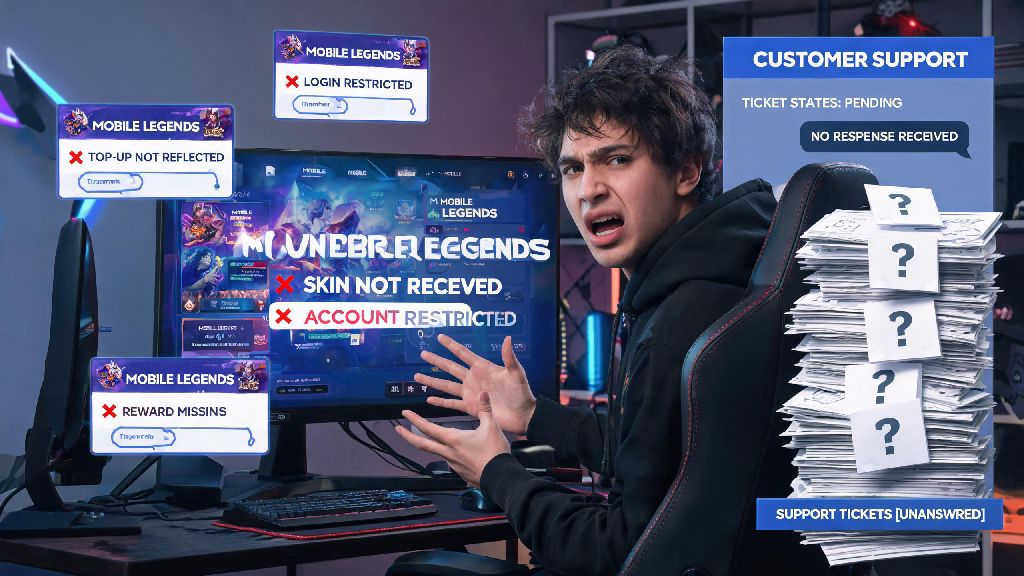
We’ve all been there: you log into Mobile Legends to find your paid skin missing, your account restricted for no clear reason, or a recent top-up never reflected in your wallet. When these issues pop up, knowing how to contact customer service mobile legends is the first step to getting your problem resolved fast, instead of wasting hours scrolling through unhelpful Reddit threads or community posts that don’t have official answers. Even small issues like missing event rewards can ruin your gaming experience, so it pays to know the right channels to use and the best way to get a fast response from the official support team.
What Issues Can Mobile Legends Customer Service Resolve?
Before you reach out to support, it helps to know what problems they can actually assist with, so you don’t waste time submitting tickets for issues outside their scope. Most support teams are split into specialized groups that handle specific types of requests, so sending your ticket to the right team will cut down your wait time significantly. Do not reach out to support for trivial issues like bad teammates or match loss complaints, as these are handled by the game’s automated matchmaking system, not human support agents.
If your issue falls outside this list, you can still submit a ticket, but expect slightly longer response times as your request gets routed to the right team. For example, requests for changes to your in-game username or server transfers are only processed during specific promotional windows, so you may get a response letting you know when those services are available again.
Step-by-Step Methods for How to Contact Customer Service Mobile Legends
There are three official channels to reach Mobile Legends support, and each is designed for different types of issues. The first and fastest method is through the in-game support portal, which is linked directly to your account so agents can pull up your details immediately. To access it, open the Mobile Legends app, tap your profile icon in the top left corner, then tap the headset-shaped customer service button in the lower right of your profile page.
You’ll be taken to a help center with pre-written answers to common questions. Search for your issue first, as many common problems like missing event rewards have automated fixes you can use right away without waiting for a human agent. If none of the FAQs solve your problem, tap the “Submit Ticket” button in the top right corner, select the right category for your issue, fill out all required fields, and attach clear proof of your problem. Always include your unique in-game ID and server ID in every support request, this lets agents pull up your account immediately instead of asking for that information later, which cuts down response time by days.
The second official channel is the official Mobile Legends social media accounts on Facebook, X, and TikTok. These accounts are monitored by a small support team, and response times are usually 2 to 3 business days. Only use this channel if you can’t access your account at all to submit an in-game ticket, for example if your account was hacked and the login details were changed. The third channel is the official support email, which is reserved for urgent account lock cases only, as it has the slowest response time of all three channels. Avoid sending multiple tickets for the same issue, this flags your account as spam in the support system, and will actually make your response time longer, not shorter.
If you have to wait longer than the 24 to 48 hour window that official support quotes for first responses, it’s fine to take a break from refreshing your ticket inbox while you wait. Many players pass the time with short, low-stakes mobile games to pass the time without getting frustrated, and a popular pick for players in Southeast Asia is Ind Slots. It’s a quick, casual option that fits perfectly into short waiting periods without pulling your focus away from checking for support updates later.
Common Mistakes to Avoid When Reaching Out to MLBB Support
Even if you submit your ticket through the right channel, small mistakes can delay your resolution time by days or even weeks. One of the most common mistakes is providing incomplete information in your ticket. If you’re submitting a ban appeal, don’t just write “I got banned unfairly” and send it. Explain when you logged in last, what you were doing before the ban, and attach any proof you have that you didn’t violate the game’s terms of service, like screen recordings of your recent matches or a list of devices you use to log into your account.
Another common mistake is using abusive or hostile language in your ticket. It’s normal to be frustrated if you lost access to an account you’ve spent hundreds of dollars and hours on, but support agents handle hundreds of tickets a day, and they’re far more likely to prioritize and help users who are polite and clear in their requests. You can mention your frustration, but avoid personal attacks or vulgar language, as this can lead to your ticket being closed without a response.
The biggest and most dangerous mistake is reaching out to fake support accounts. A lot of scammers run fake Mobile Legends support pages on social media, offering to unlock accounts or give free skins if you send them your login details. Never share your account password or one-time verification codes with anyone claiming to be support, official MLBB support will never ask for these details. All official support channels are linked from the in-game help center, so stick to those to avoid falling for scams.
How to Speed Up Your Support Request Resolution Time
There are a few simple steps you can take to cut down your wait time and get your issue resolved as fast as possible. First, pick the most specific category possible for your ticket when you submit it. If you have a missing purchase issue, select the “Payment and Top-up” category instead of the generic “Account Issue” category, this routes your ticket directly to the team that handles purchase problems, instead of being passed between teams for days.
Second, attach clear, unedited proof of your issue. If your top-up didn’t go through, attach a screenshot of the payment confirmation from your Google Play or App Store account, the error message you saw in game, and a screenshot of your in-game currency balance showing the missing amount. Blurry or cropped screenshots will lead to agents asking for new ones, which adds days to your resolution time. If you’re submitting a bug report, include the exact time the bug occurred and what you were doing in the game when it happened, this helps the technical team replicate and fix the bug faster.
Third, be as specific as possible in your problem description. Instead of writing “my account is broken”, write “On October 12, I logged into my account (ID: 12345678, Server: 1234) and found all my purchased skins were missing, I did not share my account with anyone and have not logged in on any other device recently.” This gives agents all the information they need to start working on your issue right away, instead of sending follow up questions for more details. Reference any existing ticket numbers if you are following up on an old request, this lets agents pull up your previous conversation immediately, so you don’t have to explain your issue all over again. If you haven’t gotten a response after 3 business days, you can send one polite follow up message, either through the in-game ticket portal or the official social media channel you used first.
At the end of the day, most Mobile Legends support requests get resolved within 3 business days as long as you submit complete, accurate information through official channels. Taking a few extra minutes to double check your ticket details before you send it will save you far more time waiting for follow up questions later. Now that you know how to contact customer service mobile legends, you can handle any unexpected in-game issues with confidence, instead of feeling stuck or frustrated when things go wrong. You can get back to playing ranked matches and collecting your favorite skins in no time.