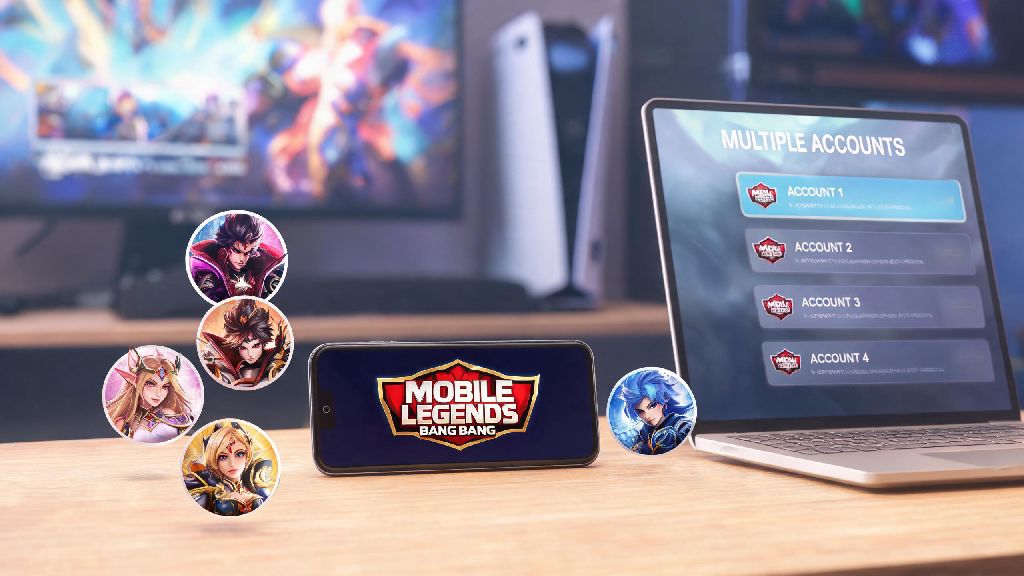
I’ve made three separate Mobile Legends accounts over the past four years: one for ranked grinding, one for messing around with off-meta heroes with friends, and one for testing new server events before they roll out to my main region. If you’re here because you want a fresh start, separate your casual and competitive play, or try out a new server, you’re in the right place. This guide covers exactly how to create a new account in Mobile Legends, with workarounds for common errors, tips to keep your account secure, and ways to maximize your first week of play on the new profile.
Pre-Requisites to Set Up Your New Mobile Legends Account
Before you dive into the account creation process, there are a few small things to prepare to avoid delays or headaches later. You don’t need any fancy tools, just a few minutes and basic access to your mobile device. Skipping these steps can lead to lost progress or even temporary account restrictions, so it’s worth taking 60 seconds to check off each item first.
First, you’ll need a valid, unused contact credential – this can be an email address, phone number, or social media profile that isn’t already linked to an existing Mobile Legends account. Moonton only allows one account per contact method, so using one that’s already tied to your main account will throw an error immediately.
Next, confirm you have a compatible mobile device with at least 6GB free storage. The base game takes up around 4GB, and extra patches, event files, and saved account data will add another 1 to 2GB over your first month of play. If you’re playing on the same device as your main account, you don’t need to delete the app, but it’s smart to clear cache of your existing MLBB app first to avoid login conflicts between your old and new profiles.
Finally, decide if you want to make a guest account or a permanently bound account. Guest accounts are fine for casual testing, but you’ll lose all progress if you uninstall the app or lose your device, so we recommend binding any account you plan to play on for more than a few days.
Step-by-Step Process to Create a New Account in Mobile Legends
This process works for both fresh installs of the game and existing app installs where you already play on a main account. If you already have the app installed, start by opening MLBB, tapping your profile icon in the top left corner, selecting the “Account” tab, and tapping “Switch Account”. If you’re installing the app for the first time, you can skip straight to the login screen after the initial file download finishes.
From the login screen, select the “Create New Account” option, then choose your preferred sign-up method. Email and phone number are the most secure options, while social media sign-up (Facebook, TikTok, Google) is faster for players who don’t want to type in extra information. Enter your contact details, then input the verification code sent to your email or phone to confirm ownership of the credential.
Most players rush through the initial setup to jump into matches as fast as possible, but it’s smart to take a 5 to 10 minute break after verifying your account to let the system sync your new profile fully. This also gives you a chance to reset your focus if you’ve been grinding ranked on your main account for hours. Casual players who want a quick, low-stakes distraction during this waiting window often try 777 Game for a few rounds before they dive into their first match on the new account.
Once your profile is synced, you’ll be prompted to create a custom nickname, choose your first preferred hero role, and complete a 10-minute beginner tutorial. If you’re an experienced player, you can skip most of the tutorial by tapping the “Skip” button in the top right corner, but you’ll miss out on a small batch of initial battle point rewards if you do. After you finish the tutorial, your new account is active, and you can start playing matches immediately.
Follow these best practices right after creating your account to avoid issues down the line:
Do not use a shared email or phone number for your new account, because if the original owner requests access to the linked MLBB profile, you’ll lose all progress permanently. You do not need to uninstall your existing Mobile Legends app to make a new account, as the game supports up to 5 logged-in profiles on most modern devices.
How to Fix Common Issues During New Mobile Legends Account Creation
Even if you follow every step perfectly, you might run into a few common errors that stop you from finishing your account setup. Most of these have simple fixes that take less than two minutes to try, so you don’t need to contact support right away if you hit a snag.
The most common error is the “This contact is already linked to an account” message. This usually happens if you’ve used the email or phone number for an old MLBB account you forgot about, or if someone else used your contact to make an account without your permission. You can fix this by either using a different contact credential, or submitting a support request to unlink the old account if you can prove you own the contact method.
Another frequent issue is not receiving the verification code after entering your phone number or email. First, check your spam or junk folder for the code, because automated messages from Moonton often get filtered by email providers. If you’re using a phone number, make sure your carrier doesn’t block short code messages from international senders, as Moonton’s verification texts come from a Singapore-based number for most regions.
If you get a region lock error when trying to make an account for a different server, that means Moonton detected your IP address is in a different region than the server you selected. If you get a region lock error, your best bet is to turn off any VPN services before attempting to sign up again, as Moonton actively restricts cross-region account creation to reduce smurf abuse in ranked queues. If you really want to play on a different server, you’ll need to wait 24 hours before trying again with a VPN that has a stable connection to your target region.
Never use third-party tools to bypass verification steps, as these almost always lead to permanent account bans within a few weeks. Moonton’s anti-cheat system flags accounts that were created with modified APKs or auto-verification tools, and there’s no way to appeal these bans once they’re issued.
Maximizing Your New Mobile Legends Account’s First Week
Once your new account is set up and verified, you can get a huge head start on progression by taking advantage of exclusive novice rewards that are only available for the first 7 days after account creation. These rewards are worth over $50 if you were to buy them with real money, so it’s worth taking a few extra minutes to complete the required tasks to claim them all.
Complete all 7 days of novice sign-in rewards to get a free permanent elite skin, enough battle points to unlock three high-tier meta heroes, and 500 diamonds worth of free in-game items. You don’t even need to win matches to claim these rewards, you just need to log in once per day for a week.
You should also complete the novice mission chain, which tasks you with playing 10 matches, trying out 3 different hero roles, and adding 5 friends. Finishing this chain gives you a free permanent epic skin trial card, which you can use to test out premium skins before you decide to buy them. If you’re making a smurf account to grind ranked fast, focus on playing 2 to 3 meta heroes exclusively for your first 20 matches, as this will raise your hidden MMR and let you skip lower rank tiers faster.
Joining a level 3 or higher guild within your first 3 days also gives you access to extra guild rewards, including free battle points, skin fragments, and weekly guild wars prizes. Look for guilds with low entry requirements for new players, as most high-level guilds only accept players with a minimum rank of Legend, which you won’t reach in your first week.
Creating a new account in Mobile Legends is a simple process as long as you follow the steps, prepare your login credentials ahead of time, and avoid common mistakes that can lead to lost progress or bans. Whether you’re making a smurf to grind ranked, a casual account to play with friends, or a new account to test out a different server, taking the extra time to secure your account and claim all novice rewards will set you up for success right out of the gate. Now that you know how to create a new account in Mobile Legends, you can jump in and start enjoying your fresh start in the Land of Dawn.