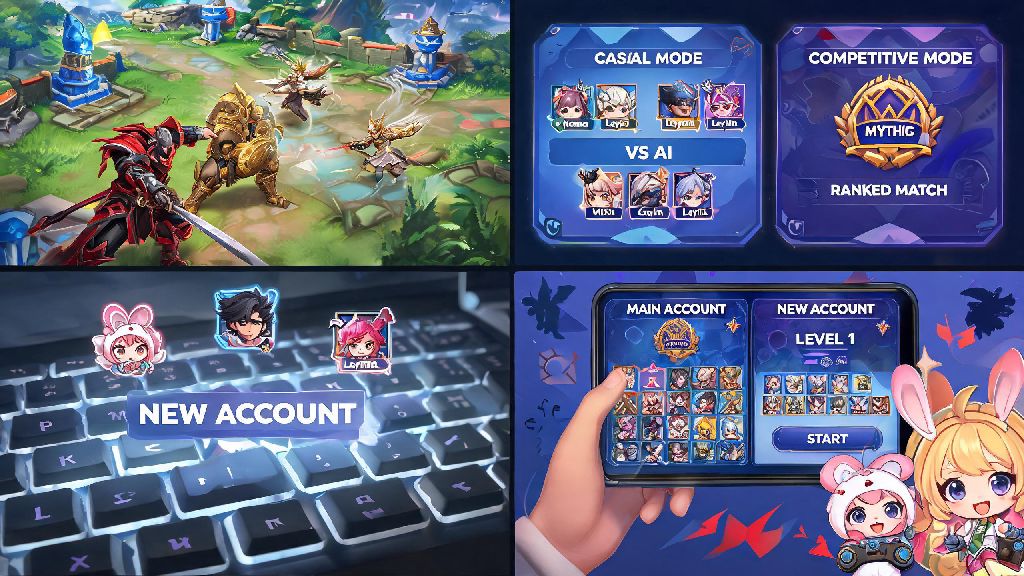
If you’ve ever wanted to mess around with new heroes without tanking your main rank, play alongside friends who are just starting out, or separate your casual and competitive gameplay, you’ve probably wondered how to create another Mobile Legends account. I get dozens of questions every month from new players asking how to create another Mobile Legends account without messing up their main, so I put together this full guide to walk you through every step. A lot of players worry they’ll lose access to their original account or get banned for making a second one, but the process is totally safe if you follow the right steps. I’ve made three extra accounts over the past four years for different play styles, so I know exactly what works and what mistakes to avoid.
Common Reasons Players Make Multiple MLBB Accounts
There’s no right or wrong reason to make a second Mobile Legends account, as long as you’re not using it to cheat or ruin other players’ experiences. Most players make extra accounts to fit different parts of their play style, instead of forcing all their gaming needs onto one main profile. I’ve even met players who have one account dedicated entirely to playing tank heroes, so they don’t have to fight for their main role in random solo queue lobbies. Some of the most common reasons players choose to make multiple accounts include:
You don’t have to fit into any of these categories to make a second account, either. Even if you just want a new profile to pick a funnier in-game name, that’s a totally valid reason to go through the process.
How to Create Another Mobile Legends Account Without Losing Your Original One
The biggest risk of making a second account is accidentally losing access to your main profile, but that only happens if you skip the first critical step of linking your main account to a permanent platform. Before you do anything else, open Mobile Legends, go to your profile page, tap the account settings tab, and confirm your main account is linked to at least one of these platforms: Google, Facebook, Moonton account, or TikTok. If your main is only saved as a guest account on your device, you will lose all your progress when you log out to make a new account, so don’t skip this step.
Once you’ve confirmed your main is fully linked, the process of how to create another Mobile Legends account only takes 3 to 5 minutes total. Go back to the account settings page, tap the “switch account” button, and confirm you want to log out of your current profile. You’ll be redirected to the game’s main login screen, where you’ll see options to sign in with different platforms. Pick a platform that is not linked to your main account — for example, if your main is connected to your personal Google account, sign up for the new one with a secondary Google account, or your Facebook profile.
Follow the on-screen prompts to finish setting up your new account, including picking your in-game name, choosing your first hero, and completing the 5-minute initial tutorial for new players. Once you finish the tutorial, your new account is fully active and ready to use. Never create a new account while your original is still only saved as a guest profile, as this is the number one reason players lose years of progress on their main accounts. Always use a separate, valid email or social account for your new profile, so you don’t get locked out of either account down the line.
When you want to switch back to your main account, just go to the account settings page on your new profile, tap switch account, and select the platform linked to your main. All your progress on both accounts will stay saved, no matter how often you switch between them.
Key Rules to Avoid Getting Banned for Multiple Accounts
Moonton explicitly allows players to have multiple Mobile Legends accounts, but there are strict rules you have to follow to avoid getting flagged for cheating or exploitative play. One common mistake players make after they figure out how to create another Mobile Legends account is using it to cheat in rank matches, which can lead to both accounts getting banned permanently. You don’t have to worry about getting banned just for having two accounts, as long as you follow these simple rules:
First, never use third-party apps or modded versions of Mobile Legends to switch between accounts faster. These apps often contain malware, and Moonton’s anti-cheat system will immediately flag your device for suspicious activity if it detects you’re using unofficial tools to manage your accounts. Second, you can’t use your second account to boost your main account’s rank, including intentionally losing matches against your main account or queueing at the same time as your main to get matched on the opposite team and throw the game. This is considered win trading, and it will result in a permanent ban for both accounts if you get caught.
You also don’t need to use a separate device for each account, but if you’re switching between 5+ accounts on the same device in a 24-hour period, Moonton’s anti-cheat system might flag you for account selling or boosting. Most players stick to 2 to 3 accounts per device to avoid this issue entirely. Never share your account login details with anyone else, even if they offer to grind rank for you for free, as this puts both your main and secondary accounts at risk of being stolen or banned for violating Moonton’s terms of service. Avoid logging into your accounts on public or shared devices, as these often have keyloggers or other malware that can steal your login information.
Tips to Manage Multiple Mobile Legends Accounts Smoothly
Once you have your second account set up, there are small tweaks you can make to avoid mixing up your accounts or forgetting login details, which will make your gaming experience way less stressful. I used to mix up my accounts all the time when I first made my second account, and I once accidentally queued for a Mythic rank match with my regular team on my smurf account that was still in Epic, so I learned these tips the hard way.
First, save all your account login details in a password manager, and label each one clearly so you don’t log into the wrong account by mistake. I label mine “MLBB Main (Personal Google)” and “MLBB Smurf (Facebook)” so I know exactly which one I’m logging into before I enter my details. Second, pick distinct in-game names and profile skins for each account, so you can tell which one you’re on as soon as you load into the game homepage. I use a dark skin for my main account and a bright neon skin for my smurf, so I can tell them apart in half a second.
If you’re grinding rank on both accounts, set a clear schedule for when you play on each one so you don’t burn out trying to push Mythic on two accounts at the same time. I play on my main account three nights a week for rank queues with my team, and use my smurf for casual solo queue games on weekends when I don’t want to take the game too seriously. If you’re still unsure if you want to go through the process of how to create another Mobile Legends account, start with just one extra account first to see if it fits your play style before you make more.
At the end of the day, learning how to create another Mobile Legends account is a simple process that can make your time playing the game way more flexible, as long as you follow the rules to keep your accounts safe. You don’t need any special tools or technical skills, just a separate valid login platform and a few minutes to run through the initial setup. Whether you’re making a smurf to play with new friends or a dedicated account to practice your jungle mains, you’ll be able to switch between your profiles seamlessly without risking your original progress. Just take the time to link your main account first, and you’ll have nothing to worry about.