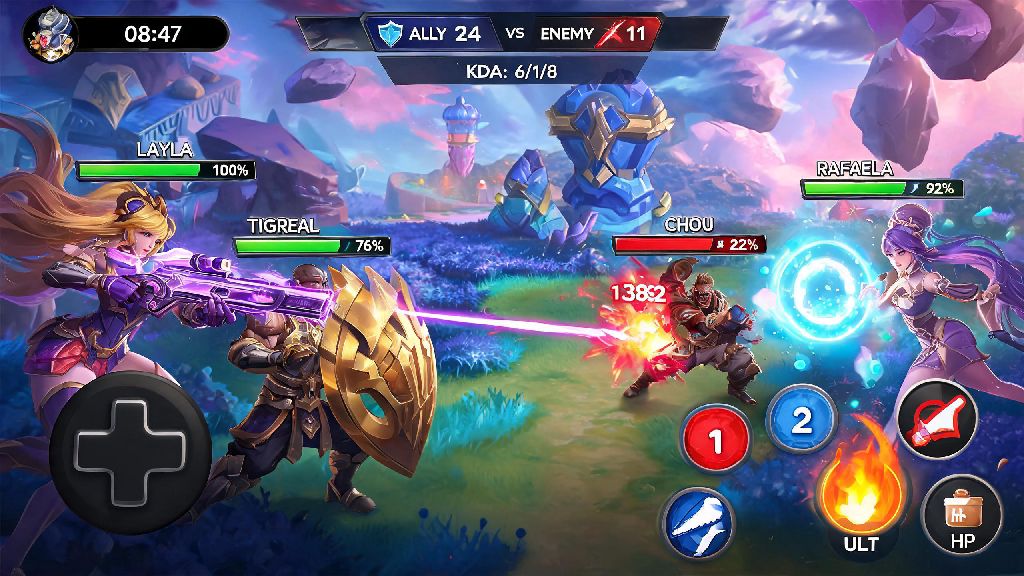
There’s no better high in Mobile Legends than pulling off a perfect outplay, securing a last-minute lord steal to turn a losing match around, or earning your first ever savage with your main hero. I still remember the first time I got a savage with Ling back in 2022, I was so excited to show my friend group only to realize the replay vanished after the next game update a few days later. If you’ve ever been in that same boat, you’re in the right place. This guide breaks down exactly how to download mobile legends replay files, save them permanently, and avoid common mistakes that make you lose your best match moments forever.
How to Download Mobile Legends Replay Directly From the In-Game Client
The easiest and safest way to get your replay files is directly through the Mobile Legends app itself, no extra downloads or accounts required. This method works for both ranked and classic matches, as well as custom and arcade games you played in the last 30 days. Before you start, make sure you’re logged into the same account you used to play the match you want to save. The steps are simple enough for even new players to follow:
If you’re wondering how to download mobile legends replay files for matches you didn’t play, you can do that too by entering the match ID of any public game in the search bar. It’s important to note that replays saved this way are stored in the game’s local cache, not your phone’s general storage. That means you can only access them through the Mobile Legends app, and they expire after every game patch. If you want to keep the replay for longer than a few weeks, you’ll need to take an extra step to save it permanently, which we cover next.
How to Save Downloaded Replays to Your Device Permanently
Since in-game replays get deleted every time Moonton pushes a new update, you’ll need to record the playback to save it forever to your camera roll or gallery. You don’t need any fancy paid software to do this; the screen recording tool built into most smartphones works perfectly for this purpose. I usually adjust my phone’s screen recording settings to 1080p 60fps before I start, to make sure the footage is clear enough to share or rewatch for tips.
I recommend launching the replay first and skipping to the part you care about most before you start recording, to save storage space on your device. If you want to record the full match, make sure you turn off notifications first so you don’t get random pop-ups mid-recording. You can also use the in-game replay controls to hide the UI, speed up slow parts, or focus on specific players if you’re making a highlight reel.
For users who want higher-quality footage without the screen recording overlay, you can also connect your phone to a computer and pull the raw replay file from the Mobile Legends app folder, but this method only works for Android devices with file access enabled. iOS users are limited to screen recording due to Apple’s app storage restrictions, but the quality is more than good enough for sharing on TikTok, Instagram, or Discord.
Common Issues You Might Face When Downloading MLBB Replays (And Fixes)
Even if you follow the steps correctly, you might run into a few hiccups when trying to download your replays. I’ve tested almost every common error over the years, so these fixes work 90% of the time if you’re having trouble.
The most common issue is the “replay unavailable” error when you tap the download button. This usually happens if the match is more than 30 days old, or if the game has updated since the match was played. If you’re trying to figure out how to download mobile legends replay files for matches that are already expired, unfortunately there’s no official way to do that, so don’t waste your time on sketchy apps. I recommend downloading your favorite replays within a week of playing them to avoid losing them.
Another common problem is the replay file failing to download halfway through. This is almost always caused by a spotty internet connection, or not enough storage space in your game cache. Try switching from mobile data to Wi-Fi, or clearing a small amount of storage on your device before trying again.
One rule I always follow: do not use unvetted third-party replay downloader apps that claim to save expired replays for you. Most of these apps ask for full access to your Mobile Legends account, which puts you at risk of getting hacked or banned by Moonton for violating their terms of service. It’s not worth losing your account over a single replay.
Creative Ways to Use Your Downloaded Mobile Legends Replays
Downloading your replays isn’t just for showing off your best plays to your friends. You can use these files to get much better at the game too, if you know what to look for.
Most pro MLBB players review at least 2-3 of their replays a week to spot mistakes they made during matches, like bad positioning, missed skill shots, or poor team fight decisions. Even reviewing one loss a week can help you climb ranks faster than spamming ranked matches without reflecting on your errors. I started reviewing my replays last year and jumped from Epic to Mythic in less than two months, just by fixing small positioning mistakes I never noticed while I was playing.
If you’re a content creator, you can cut your best plays from downloaded replays into highlight reels for your social media, or make tutorial videos showing other players how to pull off specific combos with your main hero. A lot of popular Mobile Legends TikTokers started out just posting clips of their best outplays from saved replays, no fancy editing required.
You can also share replays with your team if you play in a local or amateur esports league. Going over match footage together helps you fix team coordination issues, come up with better rotation strategies, and prepare for upcoming tournaments against other teams. It’s a low-effort way to get a big edge over teams that don’t review their play.
At the end of the day, saving your best Mobile Legends moments doesn’t have to be complicated. Whether you’re saving a savage to show your friends, reviewing a match to climb ranks faster, or making content for your social media, the steps we covered make it easy to get the files you need. Next time you pull off a play you’re proud of, don’t wait to download it – you never know when the next game patch will hit and erase it forever. Now that you know how to download mobile legends replay files, go back and save your best recent matches before they’re gone for good.