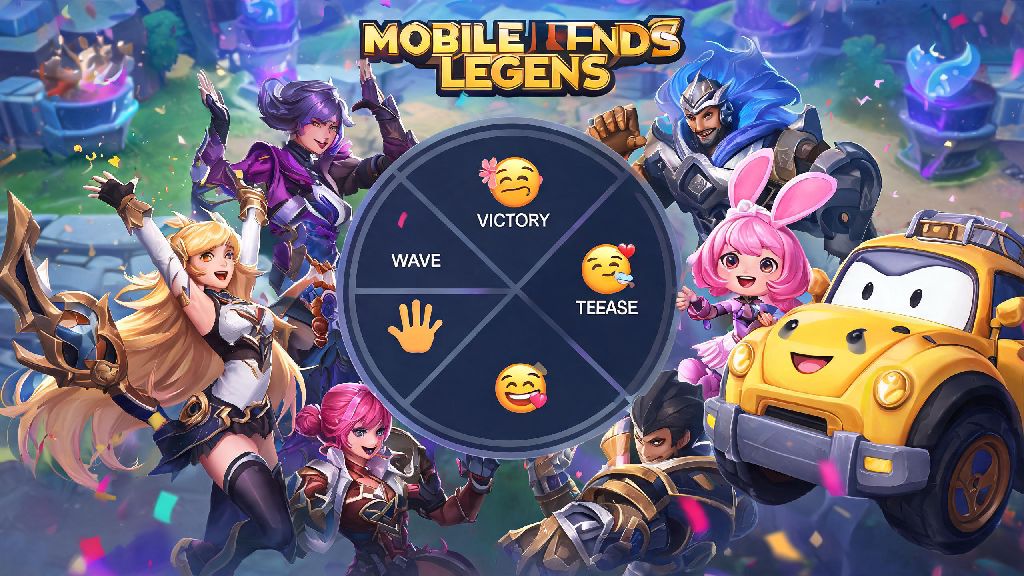
If you’ve ever wanted to celebrate a perfect team wipe, wave hello to a friendly opponent, or poke fun at a teammate who missed an easy skill shot, emotes are one of the most fun social features in Mobile Legends. Many new players struggle to find or use emotes mid-match, especially when the action is fast-paced in ranked games. This guide breaks down exactly how to emote in Mobile Legends, customize your loadout, unlock rare options, and use them without annoying other players.
Step-by-Step: How to Emote in Mobile Legends During Matches
Using emotes during a live match is far simpler than many new players assume, once you know where to look for the emote button. By default, the emote icon sits on the right-hand side of your screen, right below the item purchase menu, and looks like a small smiley face. Tapping that icon will pull up your active emote wheel, where you can tap any available emote to use it immediately for all nearby players to see. Post-match lobby emotes work the same way: tap the smiley face icon in the bottom right of the lobby screen to send emotes to all 10 players after a game ends.
Once you get the hang of how to emote in Mobile Legends, you’ll be able to pull up the right emote in less than a second without taking your eyes off the map. You can also adjust the position of the emote button in your control settings if it gets in the way of your skill shots or movement controls. Many tank and support players move the emote icon closer to the chat button, since they spend less time aiming skill shots and more time coordinating with the team. If you use a custom control layout, take 2 minutes to test the emote button position in a classic match first to make sure you don’t tap it by accident mid-fight.
How to Customize Your Emote Wheel for Quick Access
The default custom emote wheel only comes with 4 pre-loaded emotes, but you can unlock up to 8 slots as you level up your account, plus 1 quick access slot that you can tap without opening the full wheel. Most players fill their wheel with a mix of playful, friendly, and celebratory emotes, so they have the right option for every situation without scrolling through pages of unused options. If you only use 2 or 3 emotes regularly, you don’t have to fill every slot, but leaving the extra slots open won’t give you any benefit either.
A lot of new players waste time swapping out emotes every week because they don’t have a clear system for organizing their wheel. If you’re looking for pre-built emote wheel setups tailored to different playstyles, you can find user-shared templates from top players across fan communities, including popular loadouts shared on Remi101. These templates often separate celebratory, friendly, and playful emotes into distinct slots so you don’t fumble mid-team fight trying to congratulate your jungler on a successful lord steal.
To edit your emote wheel, head to the in-game preparation menu, then select the “emotes” tab from the right-hand sidebar. You can drag and drop any emotes you own from your collection into the active wheel slots, and test how they look before saving your changes. Make sure to save your edits before you queue for a match, since you can’t adjust the wheel once a game has already started.
Ways to Unlock Rare and Limited-Edition Emotes
While the default emotes work fine for casual play, limited-edition collaboration emotes and rare character-specific emotes are a fun way to show off your playstyle or support for your favorite hero. You don’t have to spend real money to unlock most emotes, though some premium options are only available for paid users. The most common ways to unlock new emotes include:
If you miss a limited emote during its initial run, you might get a second chance to unlock it during annual rerun events, usually held during the game’s anniversary every summer. Avoid third-party sites that claim to sell free emotes, since most of them are scams designed to steal your account information. Moonton regularly runs free emote giveaways on its official social media pages too, so follow those to get notified of free drop opportunities.
Etiquette Tips for Using Emotes Without Being Toxic
Emotes are meant to be fun, but spamming them after you kill an opponent or your team loses a team fight can come off as rude, and in extreme cases, can even lead to reports for negative behavior. The line between playful teasing and toxic emote spam is pretty clear for most veteran players, but new players often cross it by accident. A good rule of thumb is to only use emotes to celebrate your own team’s wins, not to mock the other team for their mistakes.
You should also avoid spamming emotes while your team is losing, since it can frustrate your teammates who are already stressed about turning the game around. If you’re playing with friends, you can get away with more playful teasing, but if you’re queuing with randoms, stick to friendly emotes like waves, thumbs ups, or celebratory dances after good plays. Moonton has added restrictions for players who get reported for emote spam multiple times, including temporary bans from using emotes in ranked matches, so it’s not worth risking your account privileges to be rude to strangers.
One underrated use for emotes is to communicate with your team when you don’t have time to type a message. A quick “thank you” emote after a teammate saves you from a gank is far faster than typing out a message, and it makes the game feel more social for everyone involved. You can also use the “danger” emote to warn teammates of incoming enemies if you don’t have time to ping the map, though most players rely on pings for those alerts first.
Emotes are a small but fun part of the Mobile Legends experience that let you add personality to your matches without distracting from the core gameplay. Whether you’re a casual player who just wants to wave at friends or a ranked player who wants to show off a rare limited emote after a win, learning how to emote in Mobile Legends is a simple skill that makes every match feel more enjoyable. Take a few minutes to customize your wheel, unlock a few new emotes that fit your style, and remember to use them respectfully to make the game more fun for everyone on the server.