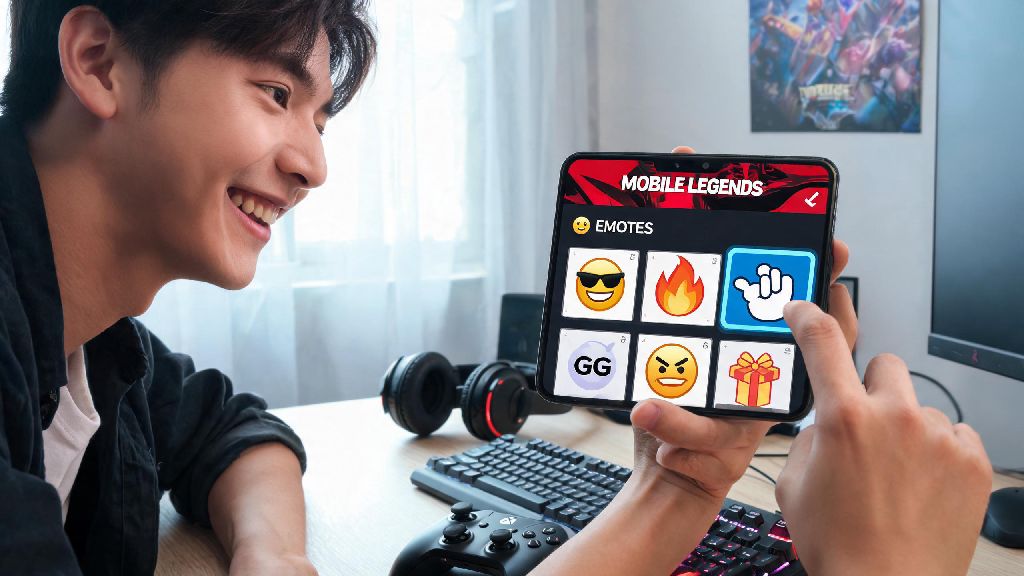
If you’ve ever been stuck spamming the same generic happy emote after a clutch win, you know how underwhelming it feels to not have your go-to reaction ready mid-match. Whether you want to flex a rare limited-edition emote you got from an event, or swap out overused reactions for ones that match your playstyle, learning how to change emotes in mobile legends is one of the quickest small upgrades you can make to your MLBB experience. You don’t need any special permissions or paid skins to adjust your emote loadout, and the whole process takes less than two minutes once you know where to look.
How to Change Emotes in Mobile Legends: Full Step-by-Step Walkthrough
First, open your MLBB app and wait for the main lobby to load fully. Don’t try to adjust your emotes while you’re in a match queue or in the pre-game lobby, as changes won’t save properly if you exit the menu mid-process. Once you’re on the main screen, tap the Preparation button located at the bottom of the screen, right next to the Shop icon.
From the dropdown menu that pops up, select the Emote tab on the left-hand side of the screen. You’ll see two sections here: your owned emotes on the bottom half, and your active emote loadout on the top half, which has 8 slots for regular matches, plus 2 extra slots reserved for ranked play if you hit Epic rank or higher.
To swap an emote, tap and hold the emote you want to remove from your loadout, drag it down to your owned emotes collection, then drag the new emote you want to use up to the empty slot. Don’t forget to tap the Save button in the top right corner before exiting the menu, or all your changes will be lost the second you leave. I’ve made that mistake way too many times when I was rushing to get into a ranked match, so double check that save icon is highlighted before you move on.
Best Emote Loadout Setups for Different Match Types
You don’t have to stick to the same emote loadout for every match you play. Swapping your emotes based on who you’re playing with and what game mode you’re in makes the whole experience way more fun, and you won’t accidentally spam a meme emote at your teammate during a tense ranked game. Some of my go-to loadout combinations include:
You can save up to 3 separate emote loadouts if you have a premium MLBB pass, so you don’t have to manually swap emotes every time you switch game modes. Even if you’re a free-to-play player, it only takes 30 seconds to adjust your loadout before you queue up, so it’s worth the extra effort.
Common Mistakes to Avoid When Changing Your Emotes
Even though the process is pretty straightforward, there are a few common errors that new players make when adjusting their emote loadouts that can lead to frustration mid-match. First, don’t try to equip emotes you don’t actually own. You can preview any emote in the collection tab, but if it has a lock icon on it, you won’t be able to add it to your loadout until you unlock it through events, lucky draws, or the in-game shop.
Another mistake a lot of players make is filling all 8 of their emote slots with the same type of reaction. If all you have are trash talk emotes, you won’t have a way to apologize when you accidentally steal your jungler’s buff, or congratulate your teammate when they get a maniac. Always leave at least 2 slots for positive, team-friendly emotes even if you prefer more playful or snarky reactions for your enemies.
You also don’t want to forget that you can only use emotes for the first 10 minutes of most ranked matches, so there’s no point in loading up on late-game reactions you won’t get to use. I once spent 10 minutes setting up a loadout of all funny defeat emotes, only to realize I could only use them in custom matches and casual classic games, so that was a total waste of time.
How to Unlock New Emotes for Your Loadout for Free
You don’t have to spend real money to get cool, rare emotes for your MLBB account. Moonton releases free emotes every month through events, login rewards, and seasonal passes, so you can build a fun collection without spending a dime. The easiest way to get free emotes is to log in every day during seasonal events, like the annual anniversary event or holiday collabs, as most of these events give away at least one limited edition emote for free just for logging in 7 days in a row.
You can also earn emotes by completing weekly challenge missions and starlight pass free track rewards – even if you don’t buy the premium starlight pass, the free track usually has at least one emote per season. If you play ranked regularly, you can also get exclusive ranked emotes when you hit higher ranks like Mythic each season. These emotes are only available for that specific ranked season, so they’re extra rare if you manage to unlock them.
Just make sure you claim all your event rewards before the event ends, because unclaimed rewards expire as soon as the event closes, and you won’t be able to get those emotes again unless Moonton re-releases them in a future rerun event. I missed out on a super cute cat emote last year because I forgot to claim my final event reward 2 hours before the event closed, and I haven’t seen it available since.
At the end of the day, small customizations like adjusting your emote loadout make playing Mobile Legends feel way more personal, and it’s a fun way to express your personality without distracting from your gameplay. Now that you know how to change emotes in mobile legends, you can swap out your loadout whenever you want, test out new reactions, and make sure you always have the perfect emote ready for whatever happens in your next match. You don’t have to overthink your loadout, either – even swapping out one overused emote for a new one you just unlocked will make your matches feel a little more fun.