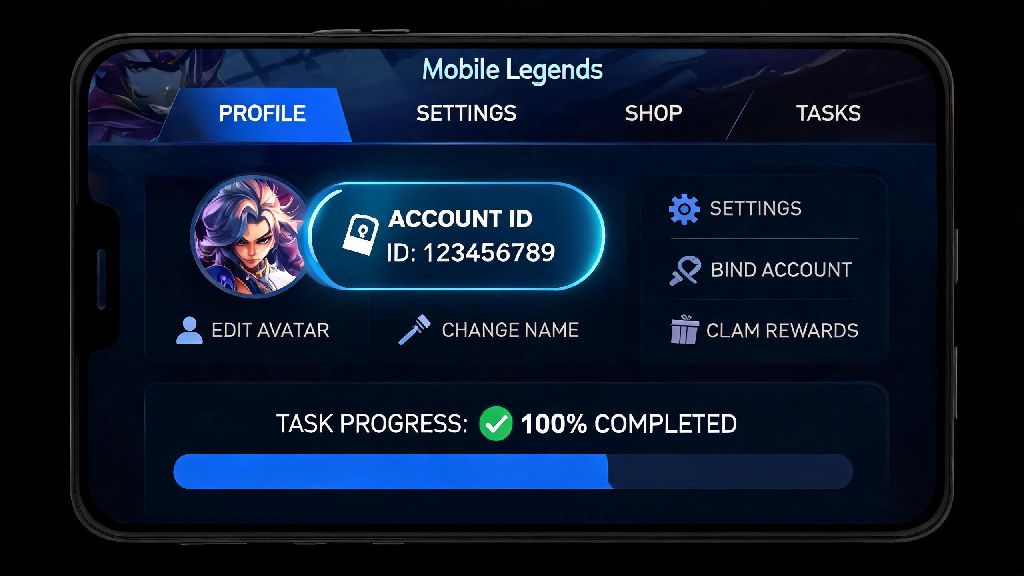
I still remember the first time I tried to redeem a free limited skin code for Mobile Legends a few years back. I’d spent 20 minutes grinding event tasks to unlock the code, only to hit a wall when the redemption page asked for my account ID. I tapped through every settings menu, scrolled through my profile tabs, and almost gave up before I accidentally found it tucked under my display name. If you’ve ever been stuck in that same frustrating spot, you’re not alone. This guide breaks down exactly how to find account id in Mobile Legends, plus all the extra context you need to use and protect your ID properly.
How to Find Account ID in Mobile Legends: 3 Quick In-Game Steps
This is the fastest method if you’re already logged into your MLBB account on your device, and it works for both Android and iOS versions of the game. It takes less than 10 seconds once you know where to look.
Open your Mobile Legends app and log into the correct account first. If you have multiple smurf accounts or switch between a main and alt account regularly, double check you’re on the profile you need the ID for before proceeding. Guest accounts will have temporary IDs that disappear if you clear app data, so we recommend binding your account to a Google, Facebook, or Moonton account to keep your ID permanent.
Once you’re on the main lobby screen, tap the circular profile icon in the top left corner of the screen. It sits right next to your battle point and diamond counters, so it’s hard to miss. A lot of new players accidentally tap the settings gear icon instead, which leads to scrolling through pages of unrelated options to find the ID. Skip that step and go straight to your profile.
On your main profile page, look directly under your display name, level, and rank badge. You’ll see a short string of numbers labelled “ID:” followed by a small copy icon. Tap the ID number once to copy it directly to your clipboard so you don’t have to type it out manually, which cuts down on typos that can send top-ups or support requests to the wrong account.
Alternative Ways to Locate Your MLBB Account ID If You Can’t Log In
Sometimes you need your account ID when you’re locked out of the game, whether you forgot your password, lost access to your linked email, or are having trouble with a server error. These workarounds will help you pull up your ID without logging into the app.
First, check the inbox of the email you used to bind your MLBB account. When you first link your account to Google, Facebook, or a Moonton account, you get an automatic confirmation email that includes your full account ID in the body of the message. Search your inbox for “Moonton account confirmation” or “Mobile Legends bind notification” to pull up that message in seconds, instead of scrolling through years of old emails. If you’ve ever purchased diamonds directly through the App Store or Google Play, your purchase receipts will also list your account ID as part of the transaction details.
If you don’t have access to your linked email or old receipts, reach out to a trusted friend who is on your in-game friend list. They can open their friend tab, tap your profile, and find your ID listed right under your display name. I used this trick last year when I lost access to my old Google account, and a teammate had my ID saved from when we gifted each other Christmas skins. It cut my account recovery time down from 2 hours to 10 minutes.
Just make sure you only ask people you know in real life or have played with for months for this information. Random accounts that offer to “find your ID for you” are almost always scammers looking to collect personal details to target your account.
Common Mistakes to Avoid When Sharing Your Mobile Legends Account ID
Your account ID is not sensitive on its own, but using it carelessly can put your account at risk of phishing scams or accidental losses. These are the most common mistakes players make with their IDs:
Your account ID alone is not enough for someone to hack your account, but pairing it with other details makes you a much easier target. Scammers often scrape public posts for account IDs, then send fake in-game messages that reference your correct account name and rank to make phishing attempts feel more legitimate. They might say you’ve won a free limited skin, and ask you to send your password to claim it, which gives them full access to your account.
If you’re entering your ID for a giveaway, make sure the host is a verified Moonton partner or trusted content creator with a track record of legitimate giveaways. Random accounts promising free unlimited diamonds or rare skins are almost always scams designed to steal your account details.
Extra Tips for Managing Your MLBB Account ID Long-Term
Most players only look for their account ID when they need it urgently, so taking a few small steps to manage it ahead of time will save you a lot of stress later.
Save a copy of your account ID in a secure, password-protected note app on your phone as soon as you find it. This way, if you ever get locked out of the game, lose access to your linked email, or switch devices, you can pull up your ID in seconds to submit a support ticket. If you have multiple smurf accounts, label each ID with the account’s main role or rank so you don’t mix them up when buying diamonds or redeeming codes.
If you’re a content creator or streamer who runs giveaways for your audience, you can share the last 4 digits of your ID publicly to confirm you’re the real account holder, without revealing the full ID to scammers. This is a common trick many MLBB creators use to avoid being impersonated by fake accounts that run scam giveaways.
Remember that Moonton’s official support team will never reach out to you directly through in-game chat to ask for your account ID plus your password or other sensitive details. If you get a message claiming your account is going to be banned unless you send those details, ignore it immediately, and report the account to in-game support.
Most of the time, you only need your account ID when you’re in a hurry to redeem a code, send a gift, or fix an account issue, so knowing exactly how to find account id in Mobile Legends before you need it will save you a ton of wasted time. The in-game steps work every single time for logged-in players, and the alternative workarounds will help you get your ID even if you’re locked out. If you still can’t locate your ID after following these steps, you can reach out to Moonton’s in-game support team with any linked account details you have, and they’ll help you find it fast.