You just won a free diamond giveaway in your favorite Mobile Legends Discord server, and the mod asks for your account ID to send the reward. Or you met a sick tank player in a ranked match and want to add them to your squad, but their in-game name has 12 different special characters you can’t replicate. These are the exact moments when knowing how to find Mobile Legends account ID saves you from missing out on perks or connecting with other great players. Most new players don’t even realize their ID exists until they need it, and fumbling through menus at the last minute can lead to missed opportunities or mistakes that cost you real money.
How to Find Mobile Legends Account ID In-Game (3 Fast Methods)
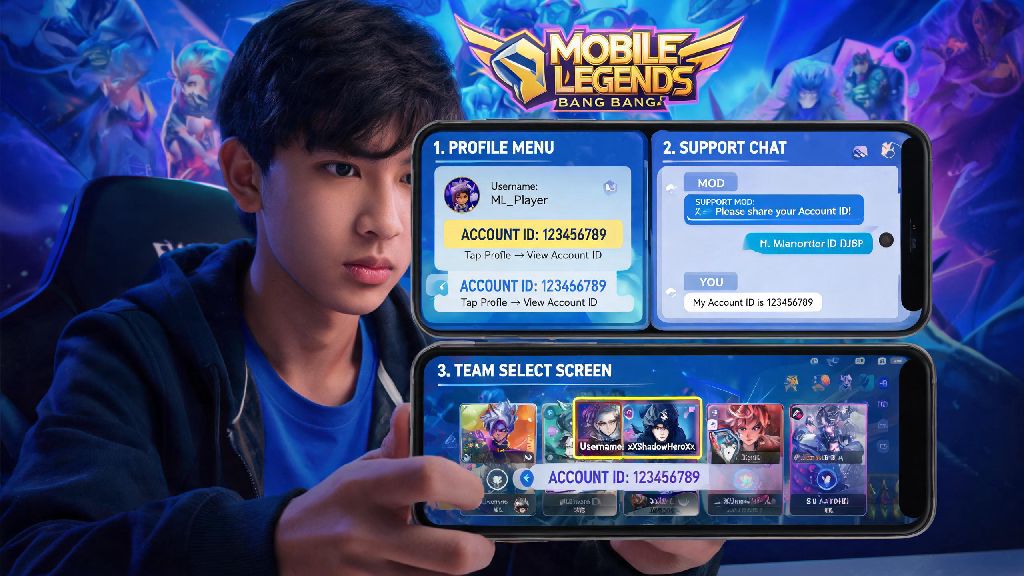
The easiest and most reliable way to get your ID is directly from the game itself, as long as you have access to your account. There are three different places you can find it, so you can pick whichever works best for what you’re doing at the time. The first method, from your main profile, works 100% of the time when you’re in the lobby, and it only takes three taps to pull up.
If you’re already in the middle of queueing for a match and don’t want to back out to check your profile, you can also find your ID in the loading screen corner right before a match starts. It will be in small text at the bottom right of your own player card, right next to your device’s frame rate counter. The only catch is this only shows up for a few seconds, so you’ll need to be quick to take a screenshot or note it down.
The third method is through your account settings, which is useful if you’re already adjusting your controls or linked accounts. Tap the settings gear icon in the top right of the lobby, then navigate to the “Account” tab. Your ID will be listed at the top of the page, right next to your linked Moonton, Google, or Facebook account information. This is also the page you’ll use if you ever want to link a new social account to your game profile for extra security.
What to Do If You Can’t Access Your Account to Find Your ID
Sometimes you need your ID when you can’t log into your account at all, whether you forgot your password, got locked out for suspicious activity, or switched to a new phone and can’t remember your linked account details. Don’t panic – there are still a few easy ways to pull up your ID without logging into the game.
First, check your camera roll for old Mobile Legends screenshots. Most players take screenshots of rank up moments, rare skin pulls, or funny match highlights, and your ID is visible on almost every in-game screen, from loading pages to post-match stats. I’ve helped at least half a dozen friends recover their IDs just by having them scroll back a few months in their photo albums, so this works more often than you’d think.
If you don’t have any screenshots, check the connected apps section of the social account you used to link the game. For example, if you linked your Facebook account, you can go to your Facebook settings, open the “Apps and Websites” tab, find Mobile Legends, and your account ID will be listed in the app permissions details. The same works for Google Play accounts, where you can find your ID in the Play Games app’s library of connected games.
If none of those work, you can reach out to Moonton support for help. You’ll need to provide as much identifying information as possible, including your old in-game name, server zone, approximate account level, most used heroes, and any purchase receipts for diamonds or skins you’ve bought. They can usually pull up your ID within 24 to 48 hours if your information matches their records.
Common Mistakes to Avoid When Sharing Your Mobile Legends ID
Once you know how to find your ID, it’s important to use it correctly to avoid scams or costly mistakes. A lot of new players make simple errors with their ID that end up costing them diamonds, or even putting their account at risk of being banned.
The most common mistake is mixing up your account ID and your in-game name. Your in-game name can be changed every few weeks with a name change card, but your account ID is permanent and unique to your profile. If you give someone your IGN instead of your ID for a top-up, they won’t be able to send the diamonds to the right account, and you’ll likely lose out on the reward. You also don’t want to forget to include your zone ID when asked – most top-up platforms require both your main ID and your zone ID to send funds to the right server.
You also should never share your ID with random people who message you offering free skins or unlimited diamonds. A lot of scammers use IDs to submit false reporting scams, where they mass report your account for cheating or toxic behavior to get it temporarily banned, then demand payment to reverse the report. Only share your ID with people you trust, or official platforms you know are legitimate, like verified event hosts or official top-up sites.
Another easy mistake is entering the wrong ID when buying diamonds for yourself or a friend. Double check the number twice before you confirm your purchase, because Moonton doesn’t offer refunds for diamonds sent to the wrong account. I once bought a $20 skin for my little brother and entered one digit of his ID wrong, and the diamonds went to a random player on another server – it’s a mistake I’ll never make again, and you shouldn’t either.
Smart Uses for Your Mobile Legends Account ID You Might Not Know
Most players only use their ID for topping up diamonds or adding friends, but there are a lot of other useful ways to use this unique identifier that can get you access to exclusive perks and opportunities.
If you’re interested in competitive play, you’ll need your ID to sign up for almost all amateur and semi-pro Mobile Legends tournaments. Official tournament organizers use IDs to verify that you meet rank requirements and don’t have any active bans on your account, so you can’t sign up with just your in-game name. You’ll also need to provide your ID if you want to join official community teams or content creator programs run by Moonton.
Your ID is also necessary for participating in official giveaways and events run by Moonton or trusted partner brands. A lot of limited skins, battle passes, and in-game items are given away through social media events, and you’ll need to submit your ID to claim the reward if you win. These events are always safe to share your ID with, as long as you confirm the account hosting the giveaway is verified.
You can also use your ID to speed up the account recovery process if you ever lose access to your profile. If you have your ID written down somewhere, Moonton support can verify your ownership of the account much faster than if you only have your IGN and server information. I recommend saving a note of your ID and zone ID in your phone’s notes app just in case you ever get locked out – it will save you hours of back and forth with support.
You don’t have to memorize your entire account ID, but knowing where to find it in a pinch will save you so much stress down the line. Whether you’re claiming a giveaway reward, adding a new squad mate, or recovering a lost account, knowing how to find Mobile Legends account ID is a small skill that makes a huge difference in your overall game experience. Take 30 seconds to pull it up the next time you log in, save it somewhere easy to access, and you’ll never have to panic when someone asks for your ID again.