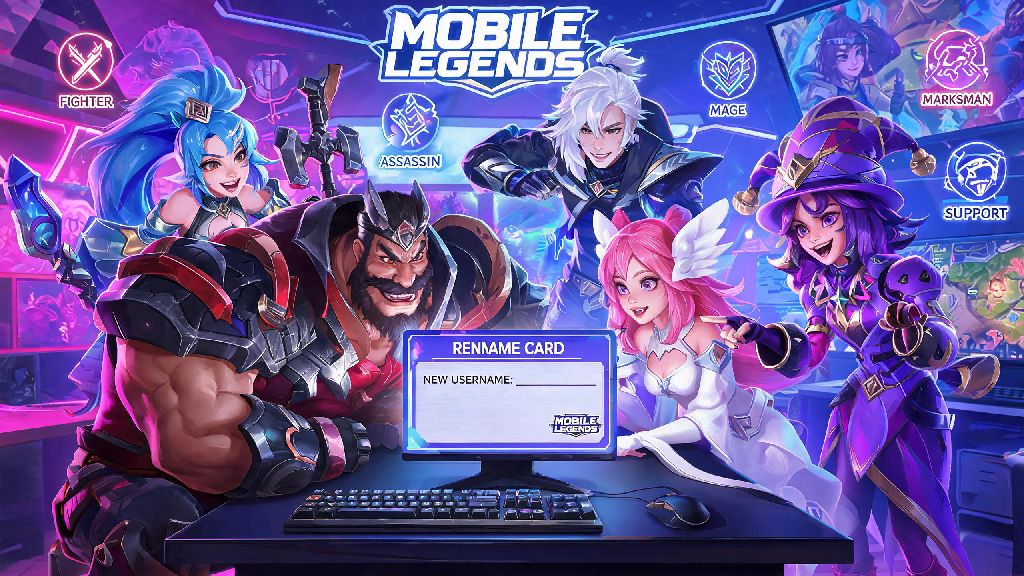
Anyone who’s played Mobile Legends for more than a few months has probably outgrown their first in-game name. Whether you picked a silly username as a joke when you first signed up, want to rebrand for ranked play, or just need a fresh start that matches your current playstyle, figuring out how to change your name in Mobile Legends doesn’t have to be a confusing process. I’ve gone through this process three times over the past four years, both with free rename cards and paid options, so I’ve picked up all the do’s and don’ts to keep your account safe while making the switch. This guide breaks down every possible method, common pitfalls to skip, and rules you need to follow to avoid getting your name reverted or your account penalized.
How to Change Your Name in Mobile Legends Using a Rename Card
Rename cards are the standard, lowest-cost way to update your in-game username, and the process only takes a minute if you already have one in your inventory. First, launch Mobile Legends and wait for the main home screen to load fully. Tap your profile avatar in the top left corner to open your account information page, then look for the small pencil-shaped edit icon directly next to your current display name. Tap that icon to pull up the name change input box.
Type in your desired new username, and the system will run an immediate check to see if the name is already taken by another player. If it’s available, you’ll see a green confirmation message, and the system will automatically pull a rename card from your inventory as the default payment method. Tap confirm to finalize the change, and your new name will show up across your profile, matches, and friend lists immediately.
Rename cards are the only free official method to change your in-game name, so it’s always worth checking your inventory first before spending diamonds. I once tried to change my name right after a big game update, and the system was glitching so it took three tries to get the request to go through. If you run into a similar issue, close and restart the game before trying again instead of spamming the confirm button, to avoid accidentally using multiple rename cards. You can’t use special characters that violate Moonton’s community guidelines, so stick to letters, numbers, periods, and underscores only to avoid immediate rejection.
Other Valid Methods to Get a New Mobile Legends Username
If you don’t have a rename card in your inventory, you still have a few options to update your username without waiting for a free event. The most straightforward paid option is to use diamonds directly for the name change, though this costs significantly more than using a rename card. You can also request a free one-time name change if your current username was forced to reset by Moonton’s moderation system for a guideline violation, or if you recently recovered a hacked account that was renamed by the person who accessed it.
Most players prefer to earn free rename cards instead of spending diamonds, and there are several consistent ways to get them through regular gameplay:
Using diamonds to change your name directly costs 299 diamonds, which is 3x more expensive than buying a rename card first, so always check the store for rename cards before choosing the direct diamond option. If you’re part of an active guild, you can usually earn enough contribution points to get a free rename card every two to three weeks just by completing daily guild quests and joining guild battles.
Common Name Change Mistakes That Can Get Your Account Penalized
Lots of players rush through the name change process without checking Moonton’s username rules first, and end up with a forced name reset or even a temporary account ban. The most common mistake is using offensive or discriminatory language, even if it’s meant as a joke. Moonton’s automated moderation system flags slurs, hate speech, and sexually explicit terms immediately, and you won’t get a second chance to edit the name before it’s reset to a random string of numbers.
Another frequent mistake is trying to impersonate official Moonton staff, pro players, or esports teams. Usernames that include terms like “GM”, “Moonton Official”, or the full name of a pro player with “Official” added to the end will get flagged within hours, even if you didn’t mean to trick anyone. I have a friend who changed his name to “RRQ Hoshi Official” as a joke last year, and he woke up the next day with a random username and a formal account warning in his inbox.
Moonton’s automated system scans all new name changes within 24 hours of submission, so even if your name is initially approved, it can still be reverted later if it’s reported by other players or flagged in the secondary scan. If your name is flagged as inappropriate, you’ll be forced to change it for free, but repeated offenses can lead to a temporary account ban that locks you out of ranked matches for up to 7 days. It’s not worth the risk to pick a edgy or offensive name just to get a reaction from other players.
What to Do If Your Mobile Legends Name Change Request Gets Rejected
If your name change request gets rejected immediately, don’t panic—most rejections are easy to fix. The most common reason for rejection is that the username you picked is already taken by another player. If that’s the case, you can add a small suffix like an underscore and your lucky number, or a short abbreviation of your main hero, to make it unique without changing the core of the name you wanted.
If the system says your name violates community guidelines even though it doesn’t have any obvious offensive terms, check for hidden special characters or terms that are banned in Moonton’s rule list. Some common words related to hacking, boosting, or real-world gambling are also banned, even if they don’t seem offensive at first glance. For example, I once tried to use the name “BoostedKing” and got rejected, because the word “boosted” is associated with paid rank boosting services that Moonton prohibits.
If you’re 100% sure your requested name follows all the rules and it’s still getting rejected, you can submit a support ticket to Moonton’s customer service team for a manual review. Include a screenshot of the rejection message and the exact username you’re trying to use, and the team will usually get back to you within 48 hours with a decision. You can only submit one name change request every 30 days, so double-check your desired username before confirming to avoid wasting your rename card or diamond payment on a name you’ll get tired of quickly.
Whether you’re switching up your identity for a new ranked season or ditching a cringy username you picked as a new player, learning how to change your name in Mobile Legends is a simple process as long as you follow the official rules. Take the time to pick a name you’ll stick with for at least a month, avoid any restricted terms, and use a rename card whenever possible to save diamonds. You’ll be showing off your new username in matches before you know it, no unnecessary headaches required.